Introduction
Originally the team I was working in was the Registration team, this team merged with the event team and created the new Visitors team. As well as forms and registration, we now had responsibility over the event planning products.
Additionally, at the time of taking on this work we were working on a migration to the new global platform. Our discovery phases would be to understand where the most value would be delivered, rather than just building for the sake of building. As part of this process we would use analytics, interview various parts of the business and look into the feasibility of what already exists on the platform in terms of patterns and code.
Commit gaps
Commit gaps were the features within the old platform that needed to be migrated to the new one. It was not as simple as just a copy and paste job, but more to investigate the best user and business value, and if time permitted, optimisation.
Working with business units
The approach was always collaborative with the business at Reed Exhibitions. We would aim to look at the different needs and propose different ideas that came from workshops and user feedback.
One of the ways to define and deliver would be to draw up the ideas of various complexities and see what the smallest slice of delivery would be required to suit the business needs, as well as the user.

Showing the business units the variety of ideas and drawing a line under what would be required was a good collaborative tool to summarise the end result of the project, but as well this provided the business units visibility of areas we could focus on in the future as we iterated. This in turn made the business units confident and comfortable with our approach as well as indicating future endeavours.
Speaker Directory
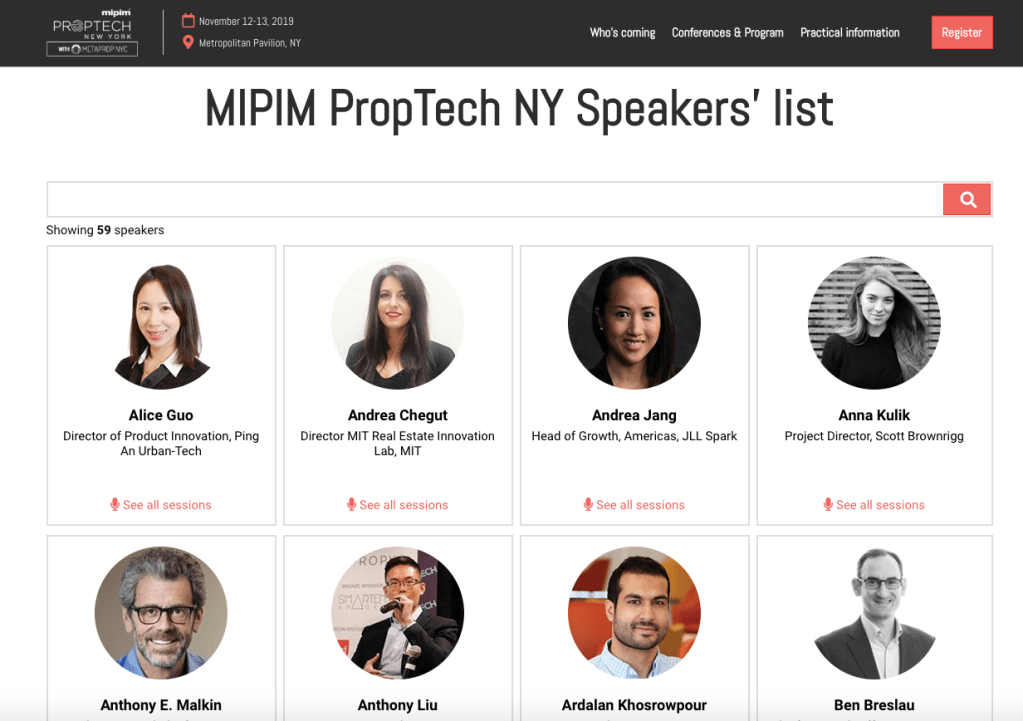
The first project I worked on was the capability to deliver a speaker directory. This area already had some work done within the event portal (site configuration). However there was no user facing component.
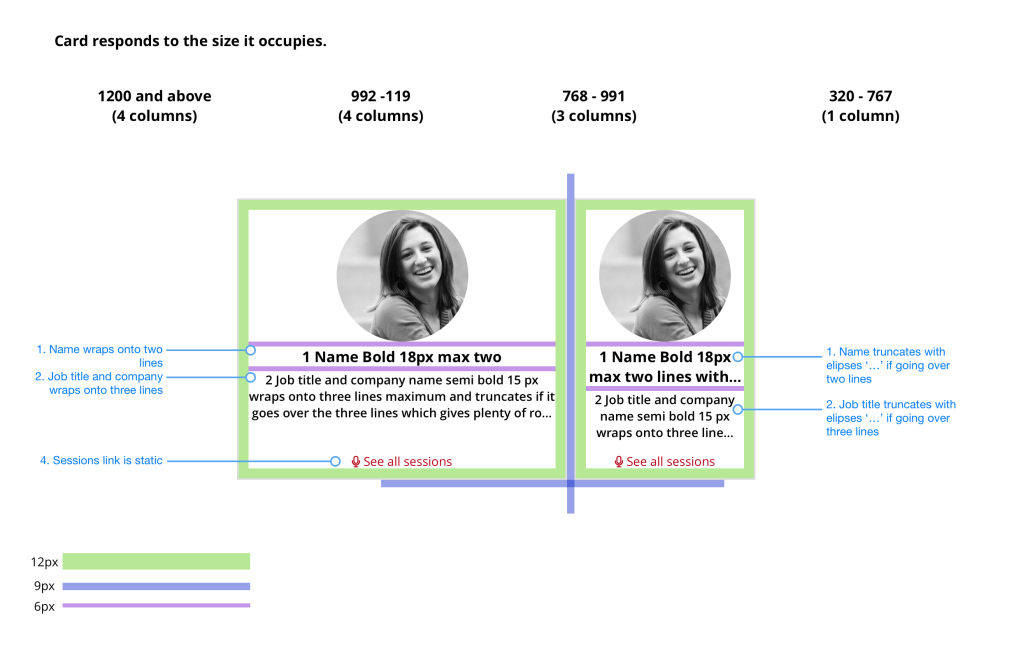
Speaking with business units and working closely with my business analyst we gather requirements and understood the business needs.
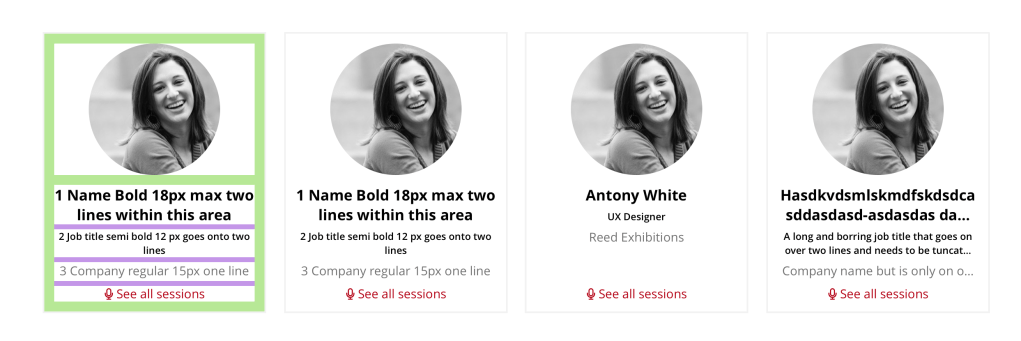
The speaker directory would be an accompanying piece to the current session directory. The purpose would be to highlight speakers and lead to the session directory.
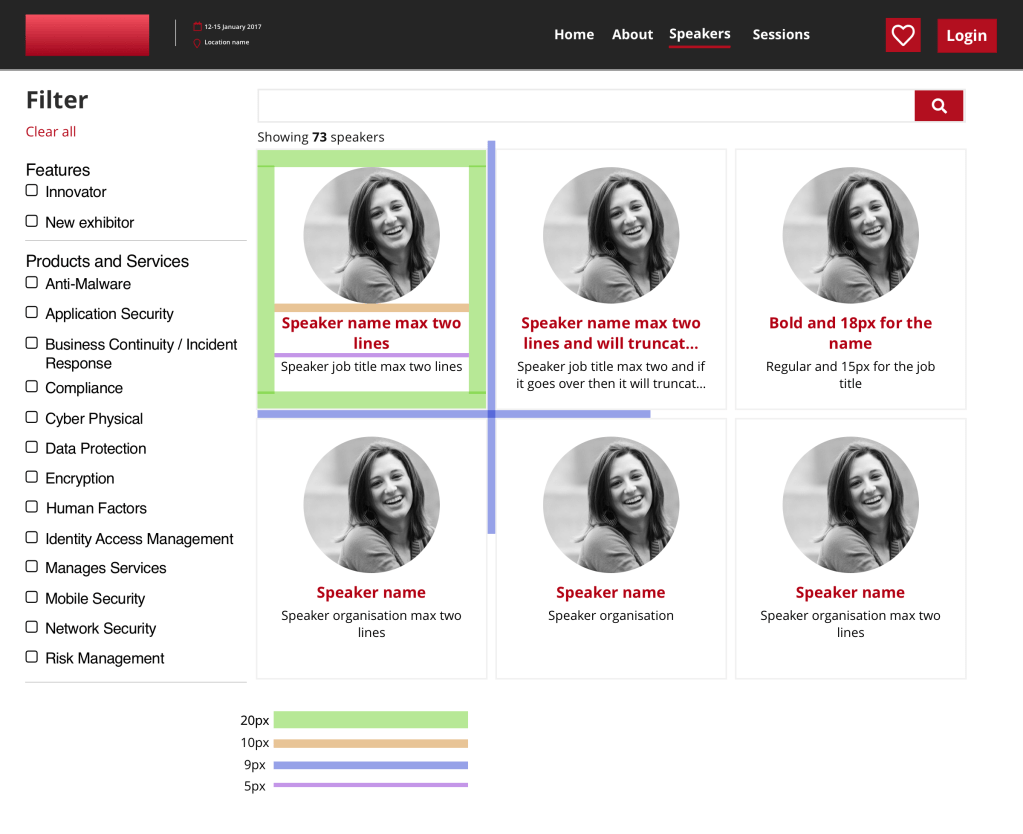
Speaker directory testing
I ran multiple rounds of testing using User Zoom for remote unmoderated testing and at show testing for face to face intercepts. I used the User Zoom as a way to gain quick feedback from any type of user to sanity check the test before running testing at one of our shows, the London Jewellery show.
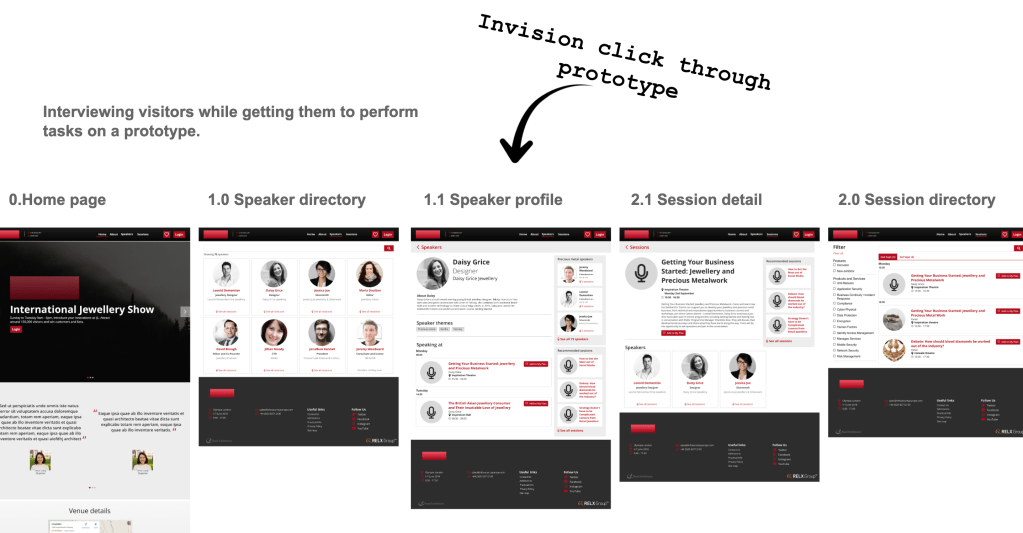
The aim of the testing was to use a prototype of the speaker directory and get the users expectation before navigating through the prototype at each step. This way understanding what the user expected vs what happened was clear, as well as getting the user to ‘think a loud’.

Speaker directory testing findings
Speaker profile
It is clear from the users expectation that a profile or another area than just the session directory is required.
Contextual tiles
These were useful to the user, however having them on the right appears to ‘fight for attention’ against the speaker, so placement needs investigating
Social media presence was mentioned multiple times that should be included.
Visuals
Visually it was stated to be ‘boring’ or not visually pleasing. This may however be something to do with a jewellery show and not necessarily an issue for all shows.
Navigation
Users easily were able to navigate between the various areas of the Speaker directory and session directory.
Changes to keep it lean
One of the main outcomes of the user testing, and was not unexpected was the users expectation of what happened when clicking on a speaker would do. Majority would expect some sort of profile, which was provided in the prototype. However, due to a lean approach, the profile would not be possible to build for launch. A solution worked out was to navigate the user to the session directory, but to filter by the speaker. This would then give the user a view of the sessions the speaker would be speaking at. Although not ideal, when tested, users understood where they were and able to complete their goal. As a short term solution, we were confident it would work.
Session Directory
The session directory is an area where visitors can find sessions they want to attend and add them to their show plan. It is designed for potential visitors to explore the event to make decision whether to attend, or for those who have registered to plan their event.
The directory existed when I joined Reed Exhibitions. I was originally part of the Registration team, which then merged with the events team to become the Visitor team.
Hosted Sessions
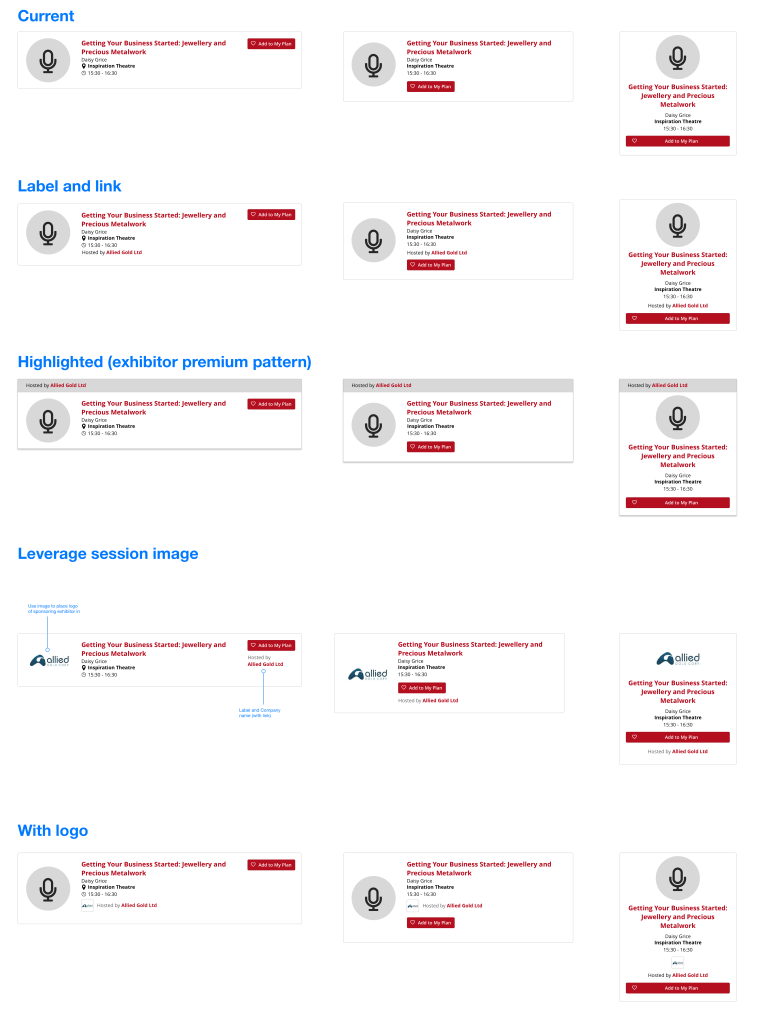
The project was to look at a quick and lean way to incorporate the idea of a host or sponsor for a session at an event. Exploring the current session UI as the starting point, I explored where there could be opportunity to show a sponsor.
Looking at it in a lean way would be look at what elements could be used to do so as well as other patterns that existed that could be used to speed up the developer process.
The challenge as well presented would be to how this would be configured by a user in the event portal (site configuration).
I came up with multiple approches and presented them to the various business units to discuss their need and what their expectations were. These were done through working groups that were set up regularly so that we could converse with a large crowd.
Multi-track sessions
Working with a challenging stakeholder over ‘thinking in solutions’ we gathered requirements from around the business to understand what would need to be created.
The brief in essence was to help users understand that there are different session ‘tracks’ (which are categories) as well as indicating where overlap occurs.
Real business need
Upon interviewing and questioning the various business units it boiled down to three main areas.
- Increase engagement
- Increase findability
- Commit the user
These would be the real business need, rather than thinking in solutions. It was taking this steer concepts would be created and research would be setup in order to identify if the current solutions addressed the business need.
Concepts and stress testing
I created various concepts and ‘stress tested’ then by adding in real data in order to see how a ‘multi-track’ solution would work, or not work.
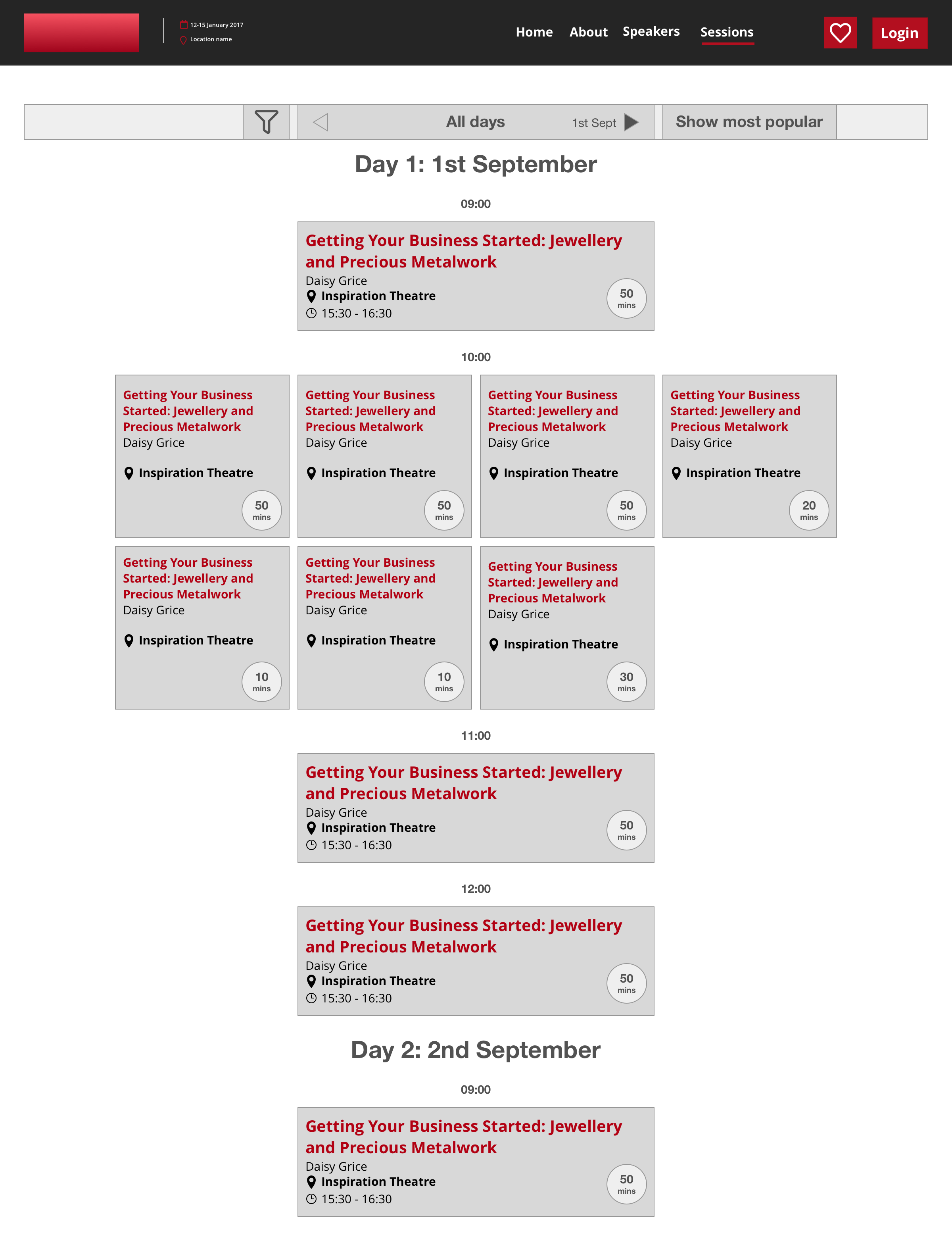
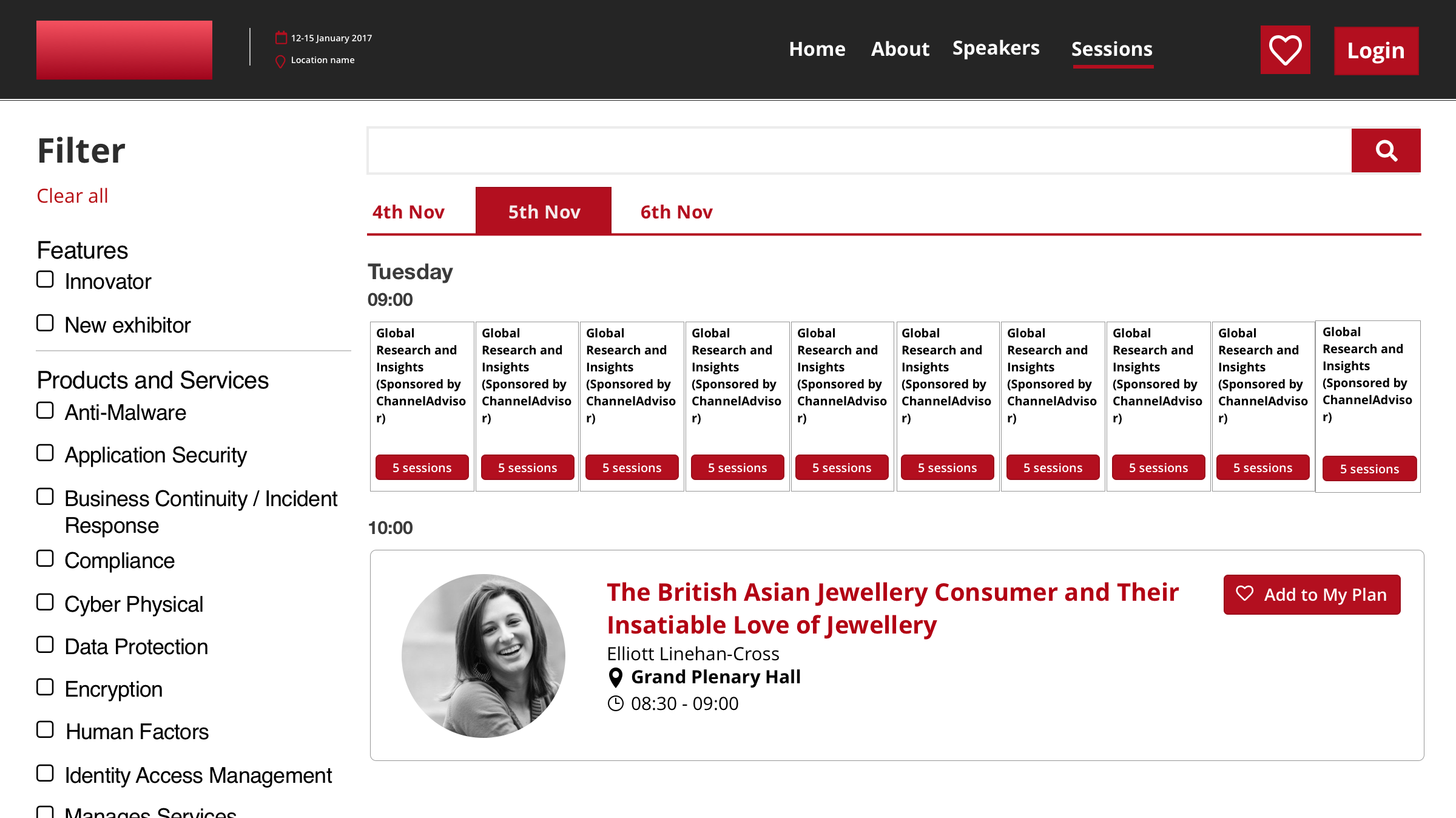
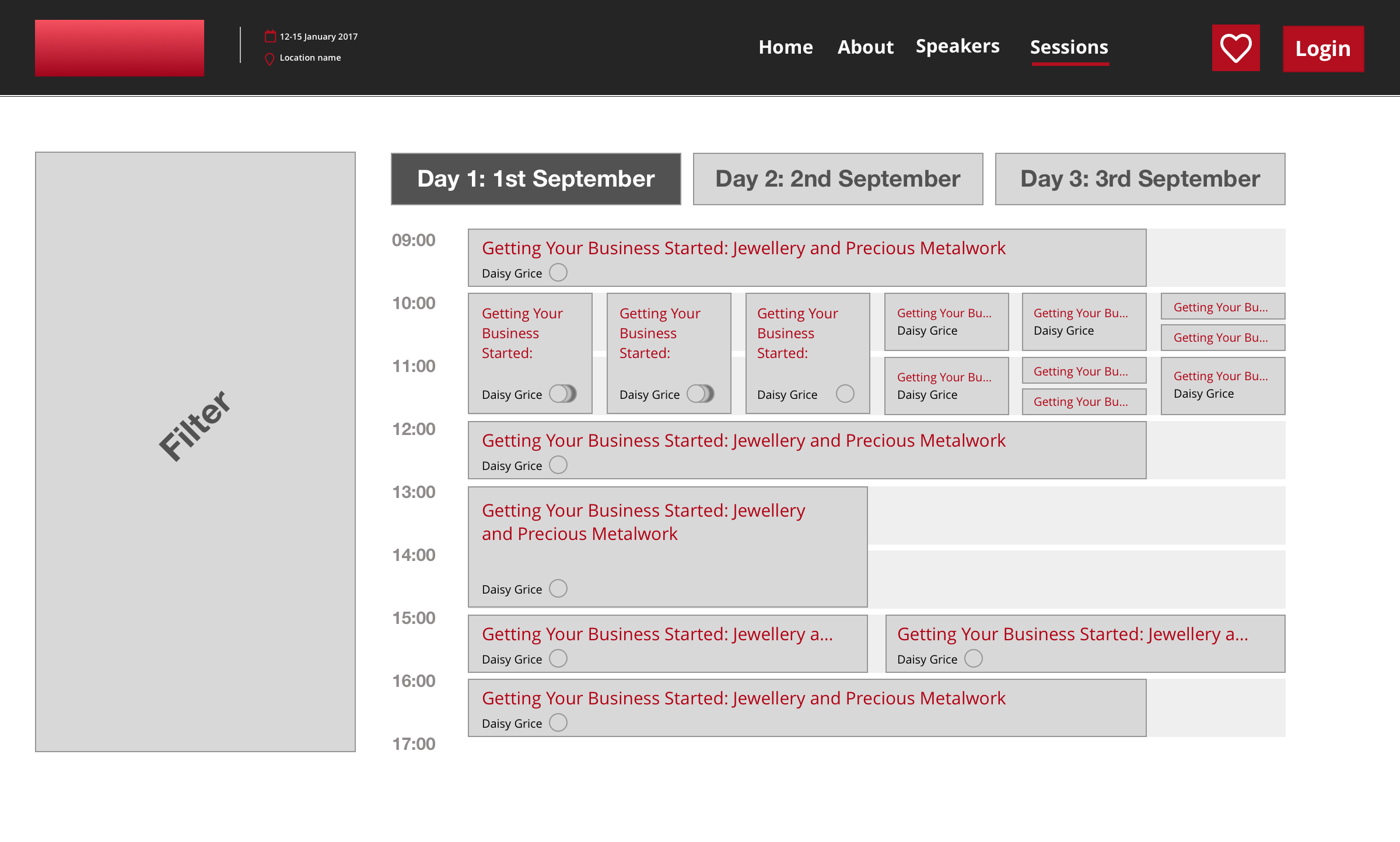
It was clear from early concepts, that if we were to design something scaleable across the 500+ different events, then these would not solve the business need, and also make it more difficult for the user to navigate through the session directory.
With the business need clear and understanding, it was time to conduct research as to what the users wanted.
User testing
To gain a better understanding of what the users needs we used an agency to conduct interviews with users around how they would navigate the sessions directory, and specifically probe questions around the idea of ‘tracks/ clashes’.
We used the existing show site and capabilities to understand the user need and if pain points were present. This way I could access if there was a real user need for the asked for changes
User feedback

- Didn’t notice overlap, but not phased by it (incos global)
- Decide what’s most important to them, then make decision
- Will find alternative ways if there’s an overlap.
- No drama if overlap.
- Will mark all the ones that are interest in and make a decision at show.
- Checks with colleagues if they can divide up sessions
- Behaviour: Would add to calendar then check conflicts
- Behaviour: Scrolling up and down, with the use of filters
Keeping it lean
The research results were pretty conclusive. The idea of multi-track or areas of focus were important, but not the most important information. Due to this, it was decided that we would not reformat the entire directory in the favour of the not most important information. Instead we would take a lean approach, and leverage and optimise the directory in order to satisfy the user need.
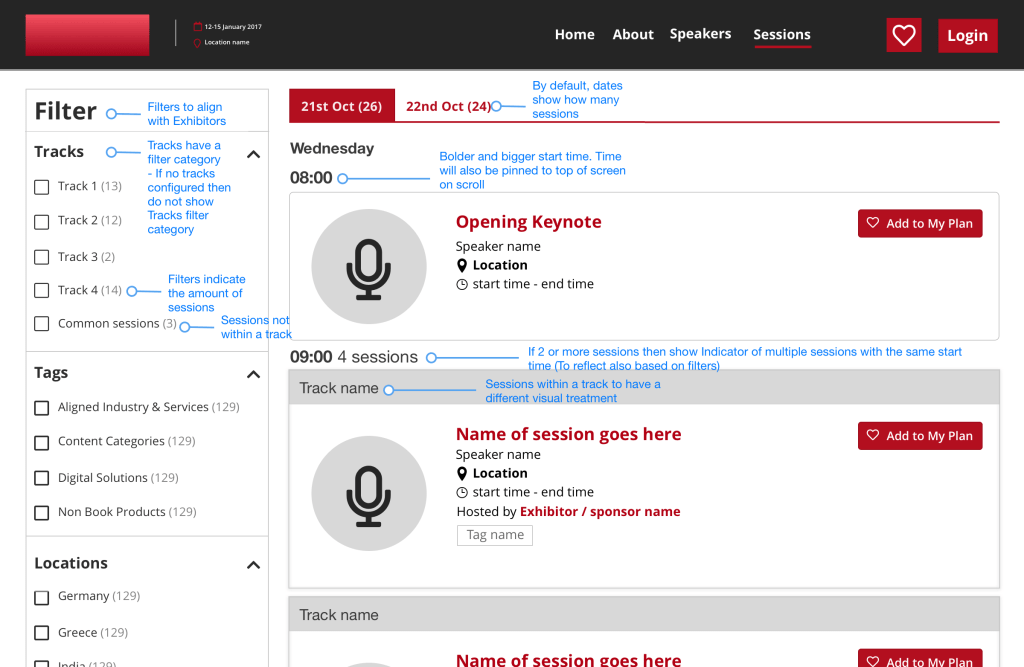
Sign posting was used to indicate overlaps, an existing pattern was used to indicate a track, track filters were implemented and sticky URLs were created in order for show teams to create filtered views of the directory in order to link from anywhere on the site, or campaigns.
I also created a best practice guide for show teams to be able to understand the rationale behind the design decisions as well as using current capabilities to strengthen and compliment the changes.
Participant directory
The Participant directory (PD) is a directory for very specific events that deal with individuals mostly rather than exhibiting companies. This means a more ‘mobile’ way of meeting to do business rather than going to a specific exhibitor stand. Participants would use the directory to find other participants through searching and filtering, as well as match making, to find a participant to do business with.
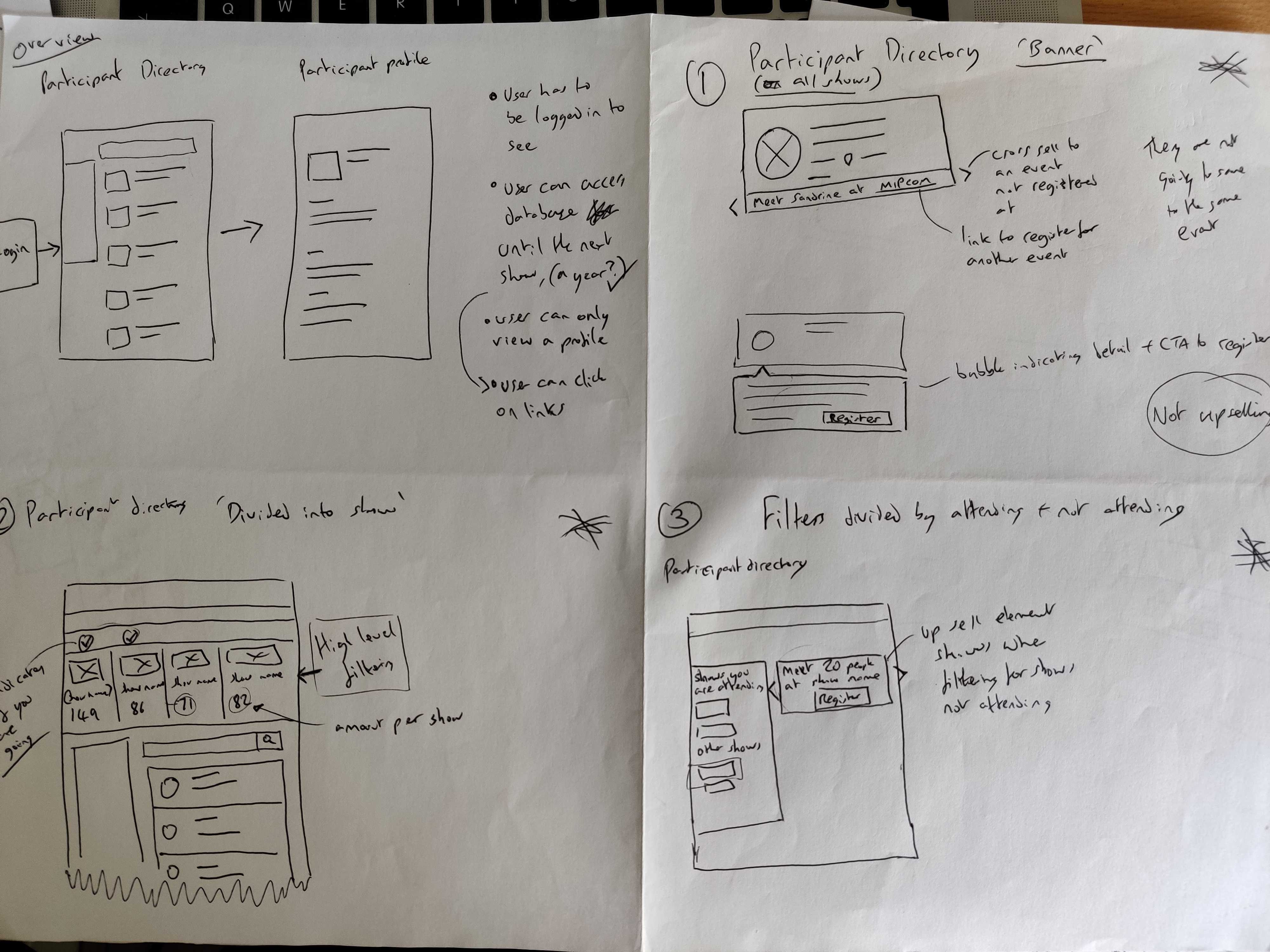

Currently Nova supports the downloading of the Participant Directory for Midem shows. This allows a participant access to all participants in an Excel spreadsheet for offline access.
This supports the user flow for planning, attending, and post show, and also adds to the value of attending a Midem show; justifying the ticket price, encouraging them to register and attend.
RX’s Data Privacy Office has raised concerns on allowing access to this data in this way.
User needs / pain points
- Support the planning of meetings for a show; who to meet e.g. sellers want more buyer contacts
- Buyers are reluctant as they may be spammed; but want the ‘right’ contacts
Business needs / pain points
- Making sure the participant is happy, see value in the show (people they want to connect with), support show preparation time, justify the price, encourage registration for a successful show.
Goal
Leverage networking: more participants of all types finding contacts and scheduling meetings, while giving confidence to the attendees that RX will look after their data and privacy
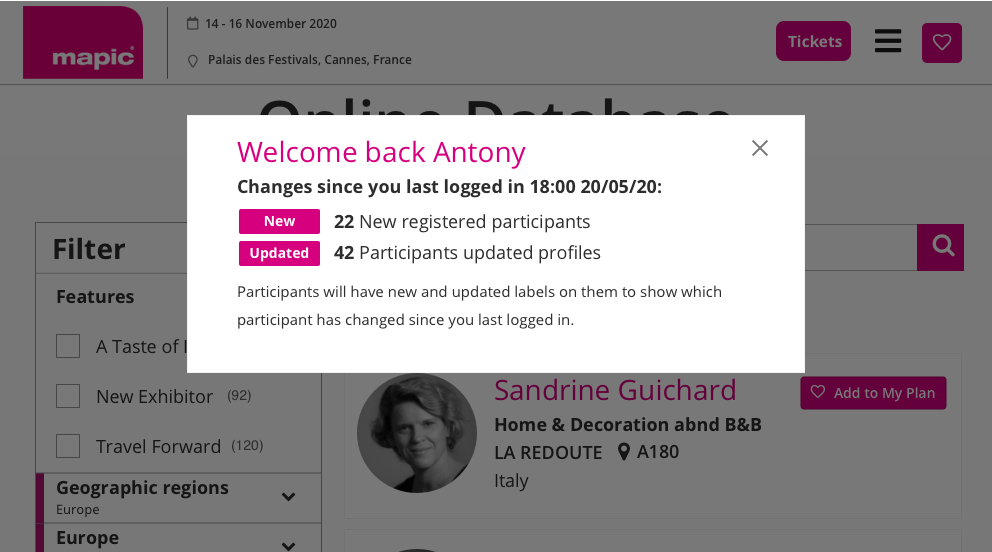
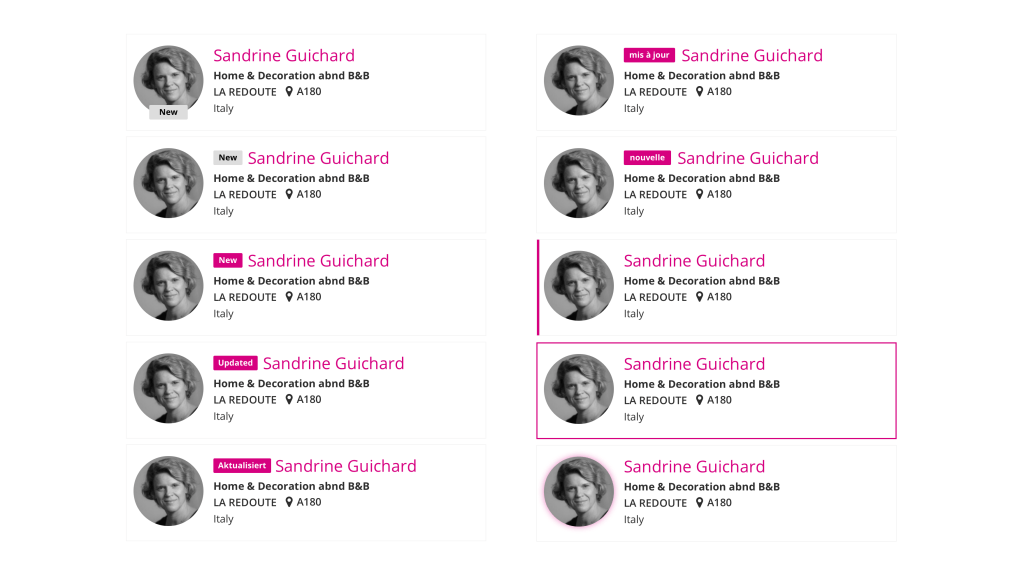
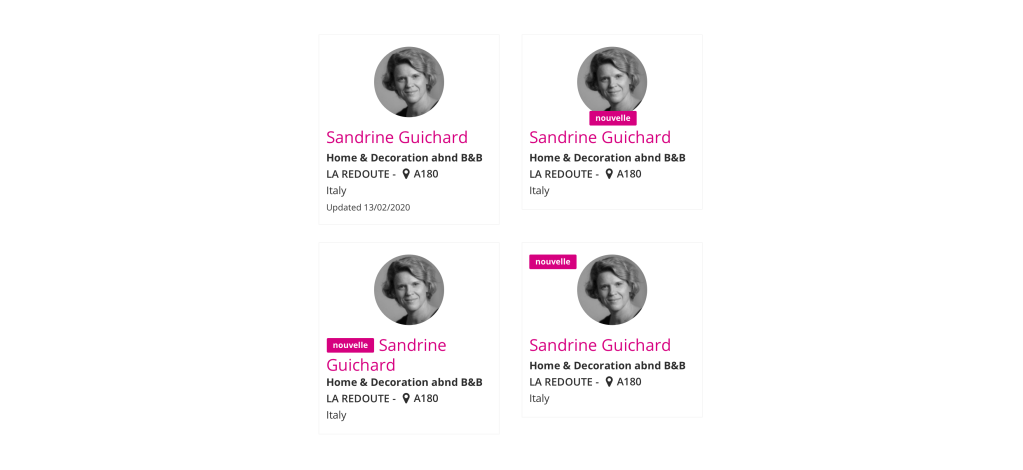
New and updated profiles
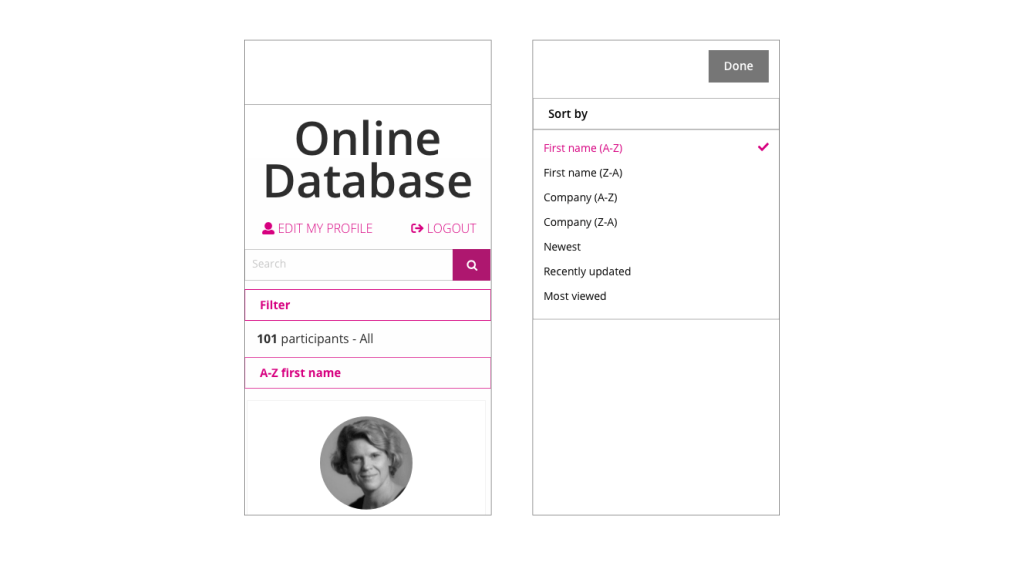
Sorting


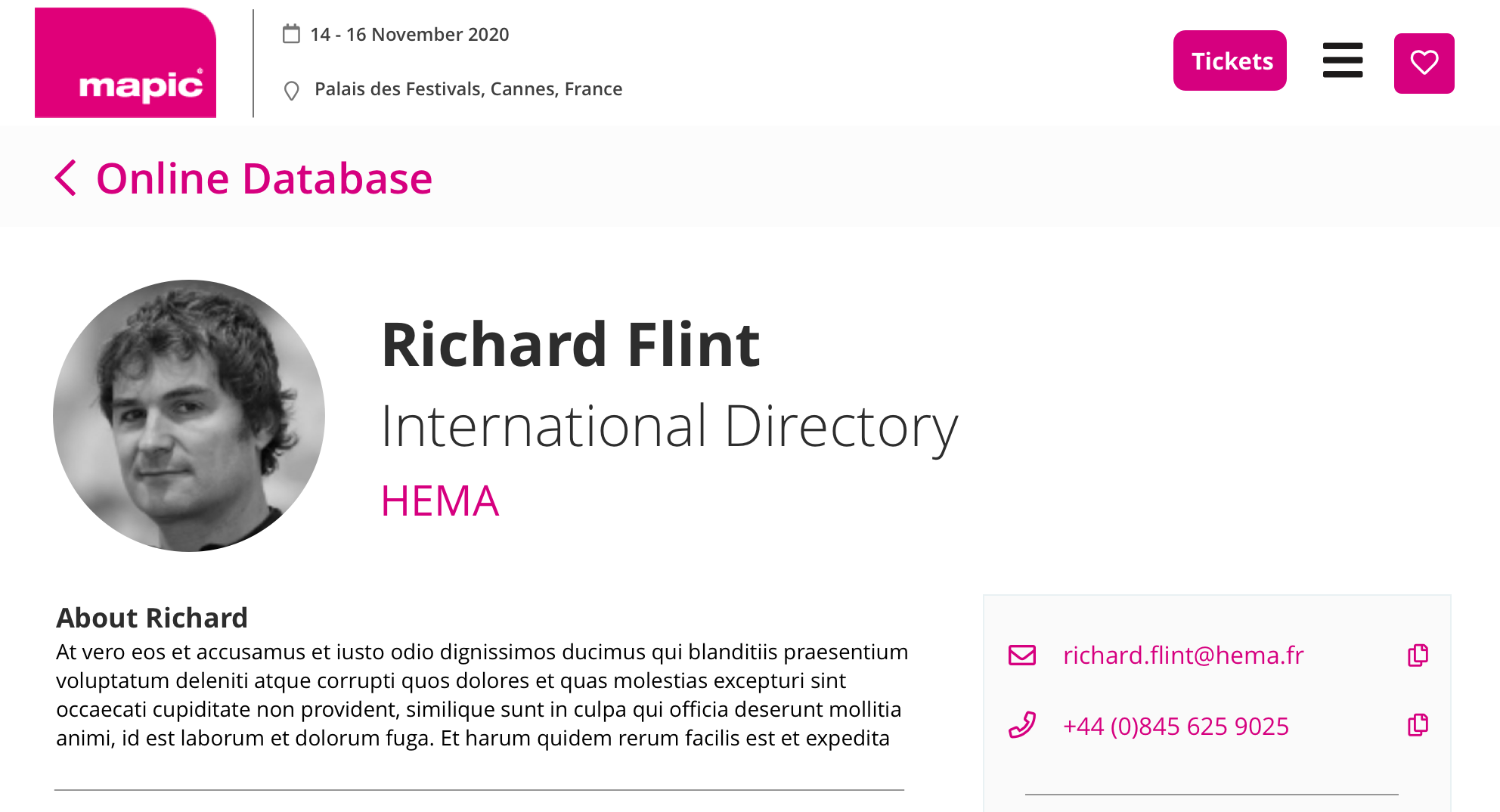
Copy details more easily

User testing
Unmoderated remote usability test
UserZoom
Testing Goal
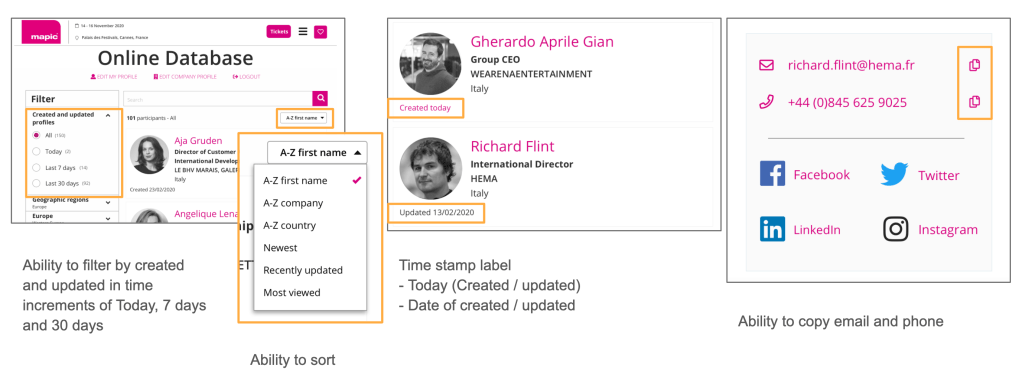
To get feedback on the changes to the Online Database for the following ideas:
- Filtering by created and updated participants
- Sort
- Time stamp on Participant tile (indicate created and updated)
- Copying email and phone (Participant profile)
Changes to PD
Summary of findings
- Filter proved very effective, however this will not be for MVP due to the complexities of PPS, but should be looked at in a future optimisation
- Sorting was easy and intuitive. Companies with titles such as ‘The White Company’ should be investigated further as to whether they should be ‘The’ or ‘White’ when listed alphabetically
- Additionally looking at the reverse of sorting by A-Z, Z-A
- Created and updated difference was well understood and proved effective when combined with sorting and filtering
- Copy icons seen as useful, however caution around the linking to email client and copying
- Users generally clicked the icon itself, suggesting usability issue is unlikely but should be monitored once built
Event Portal
The event portal is the area of configuration that show teams use in order to setup features on their sites. Within the visitor team we were responsible for forms, session directory, participant directory and the floor plan, and internal teams would need to be easily set things up.
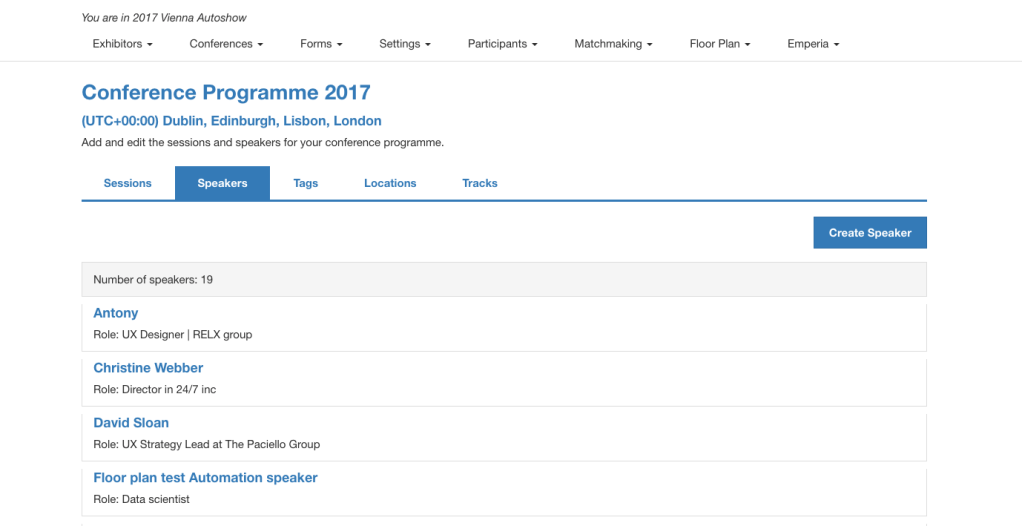
The main driving principle would be ‘zero configuration’, meaning that we would aim to have as little things as possible for a show team to do in order to setup a feature for their show site.
Other Reed Exhibitions projects
 Antony J White