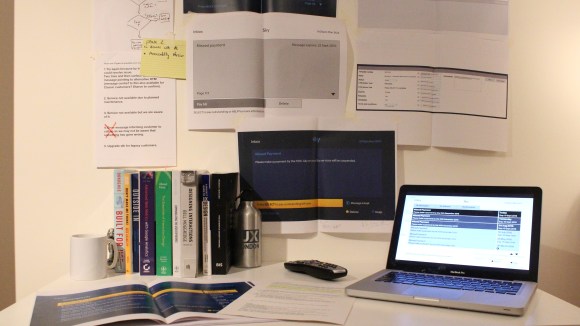
Introduction
My Messages (or Inbox as it was originally called) was a project that was born from multiple reasons. On a daily basis Sky send out hundreds of thousands of emails, white mail and other messages. As our users are interacting with the Sky set-top box there is a real need to put these messages into context. As well as just outreach there is a future for giving the user the exclusive option to just get messages via their set-top box. With over 9 million users with a classic set top box, there was a huge opportunity for Sky to reach the majority of their user base. Additionally there was an opportunity to reduce cost of white mail (46p per letter) and additionally the amount of wasted paper.
Messages are designed for the sale and service applications, which links the user to the relevant applications to be able to sort out their account.
Challenges
This was the first project I worked on to understand the technical constraints of the Sky Classic set top box. This meant lower colour palettes, very low ram and processing as well as not being connected to the rest of Sky PDD (Product design and development). This meant a lot of discussions with the various teams in order to make sure everyone was aligned and also to inform us if changes were happening elsewhere with the Sky global product.
Behaviour Driven Development (BDD)
The process here was for myself to come up with a basic interface to use for workshopping with the developers and stakeholders of the project. I headed several BBD (behaviour driven development) sessions in order for the team and I to create the requirements and also cover as many different user cases as possible. The advantages of these sessions was the speed of getting through a lot of questions and scenarios as possible. At the end of the session there would be questions, answers and actions points for all of us to go away and explore.
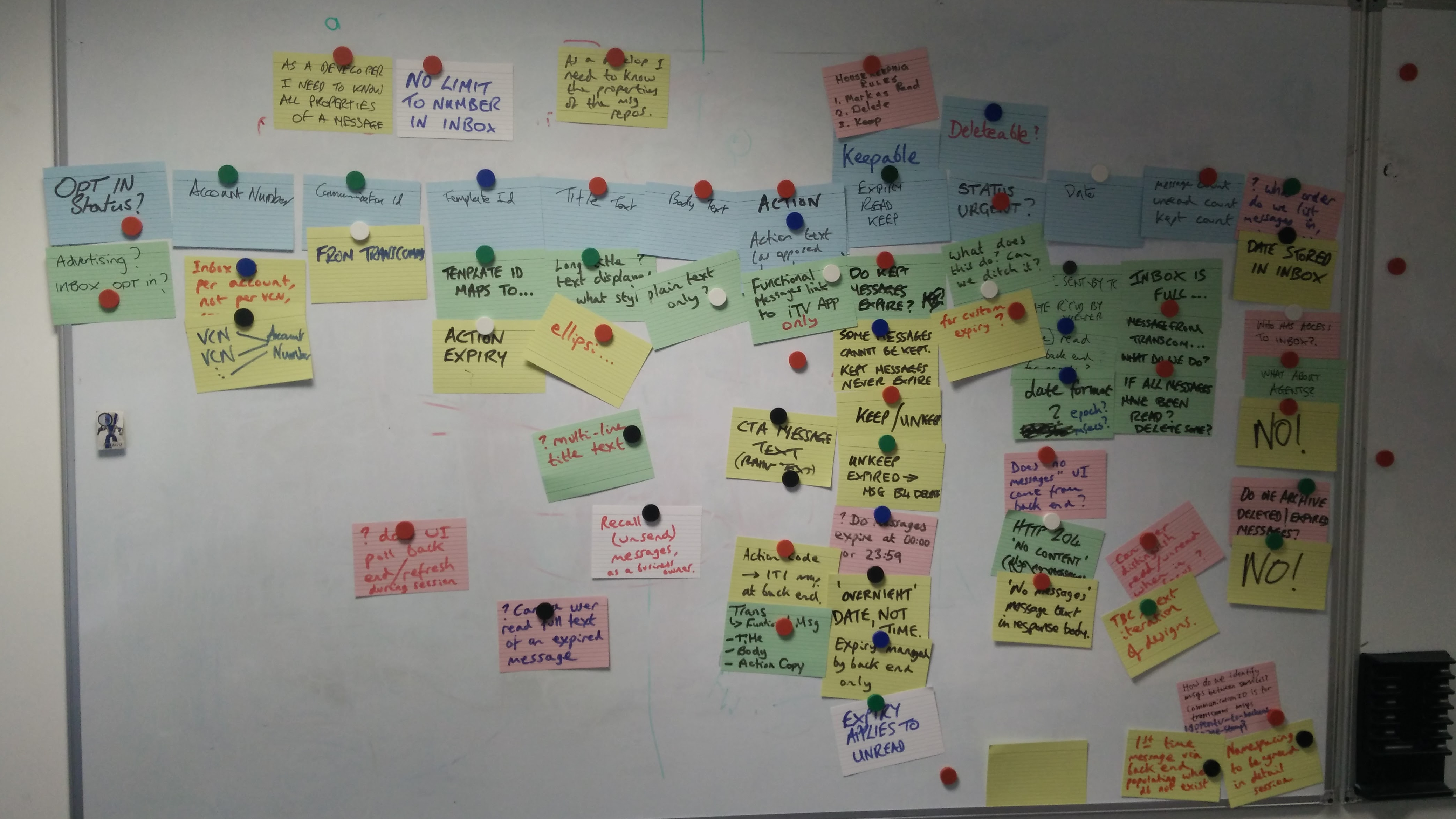
Generally after these sessions I would then be able to create the core user journeys, which in turn would influence the concept and also help development understand early on what kinds of features and functionalities there would be.
Developing concept
After the initial BDD kick off the concept was then updated. These were new journeys or sections of debate agreed on in the session. There were also questions for each discipline to go away and solve. One area was looking at requirements around the ‘keep’ functionality. This kind of workshop was designed to bring out more specifics and details in order to have a ‘whole’ solution.

As Sky is an established product, the reuse of patterns is how we begin our process. If a new pattern is required then this would more likely to be released post MVP.
The original concepts were designed for Sky Classic, then Sky Q was adapted.
Screens and journeys
The screens are journeys were put together quickly and then workshopped with the team to work together on the different pieces of the My Messages journeys. Over a few workshops we managed to get the core of the structure in place.
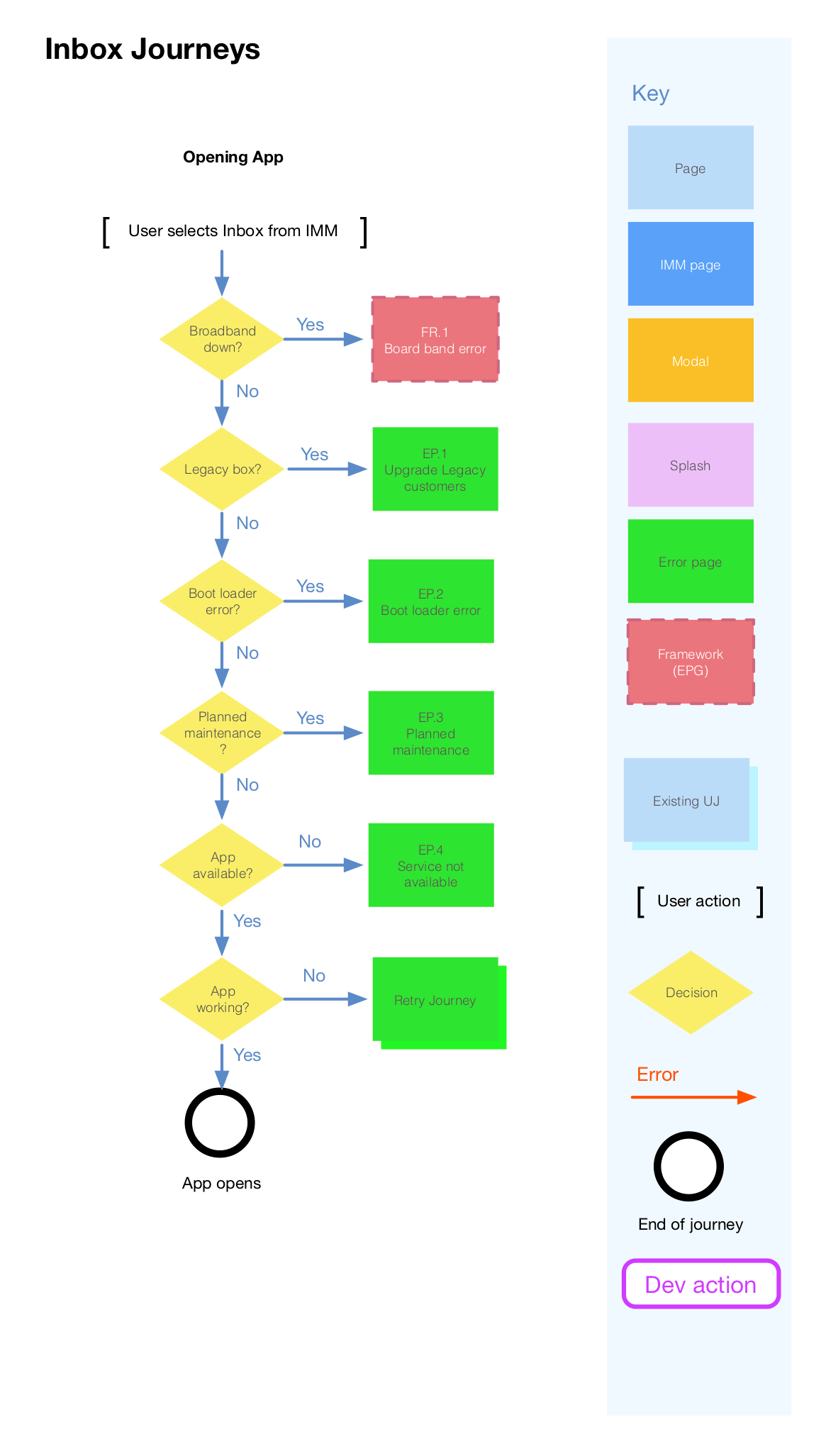

Once having the core down I created the different journeys, I created a sitemap and content matrix to make notes of the different functions and features.

The screens went through iterations of looking at the minimal amount of clicks a user would have to perform in order to navigate through the application.
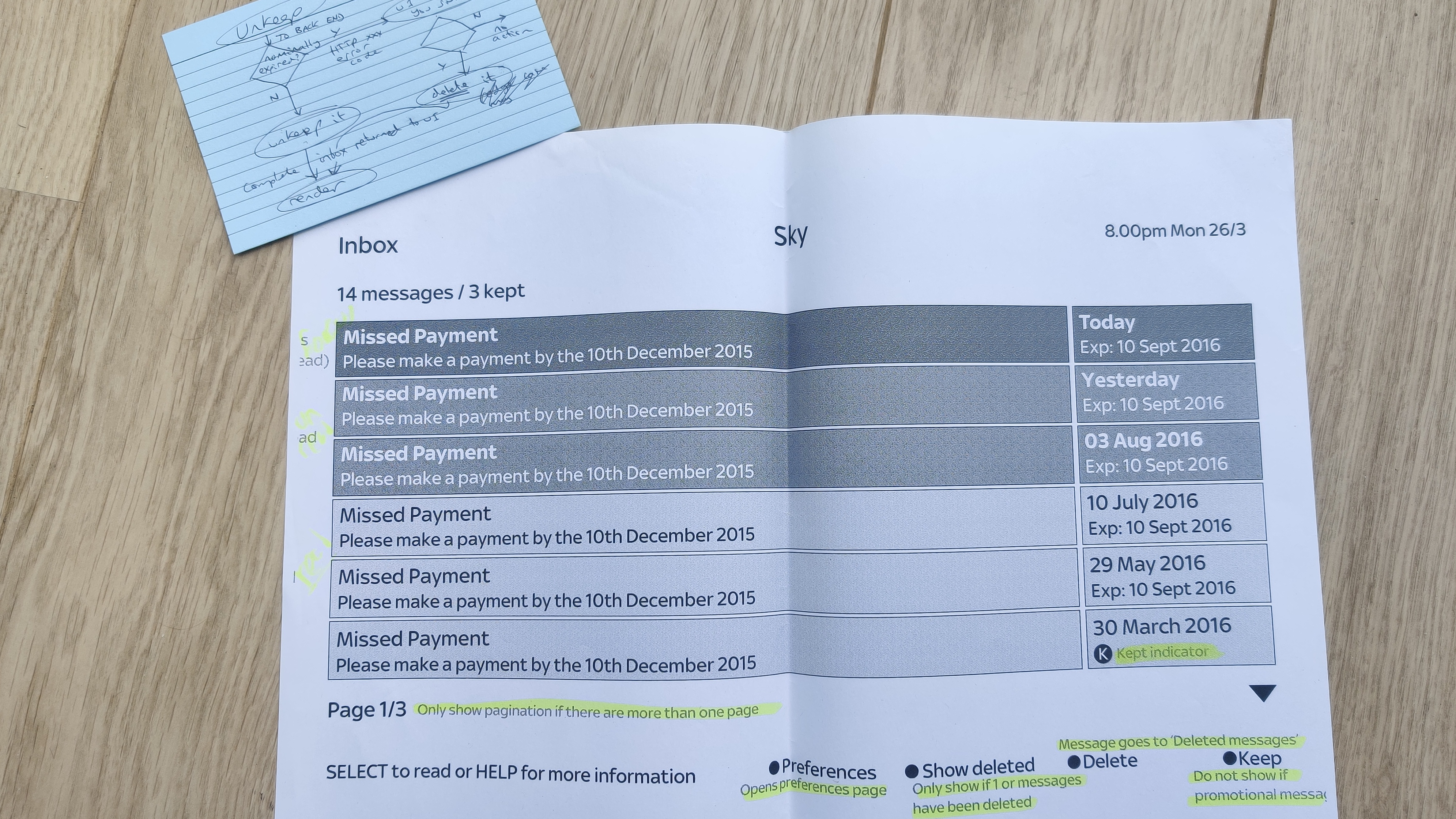
Interactions and functions would reuse what existing functionality there was already on the Sky set top box in order to manage users expectations and behaviours. Keeping a message was an important function so that users could keep messages, without them being automatically being deleted, which was designed in the same was as the keep function within the Sky Planner.
Design
Working closely with the Sky product design teams. Using style guides were applicable and having regular meetings to make sure the UI aligned as well as new patterns being discussed. There were difficulties in making sure the UI was up to date as changes within product were frequent. Within the Interactive TV team we began to make note of the areas that most likely would affect us in the short term. That way, during any meetings we could always make sure of any upcoming changes that may not have been communicated.
The process for the UI was to look at the journey and aim to get the least amount of clicks as possible. Also, for someone who has never designed for TV before, there was a lot of learning about using a remote and the different states that would be required. The on focus state was most important so a user understands where on a screen they are. Additionally, being limited by arrows, the UI had to be clear of navigation for vertical and horizontal navigation.
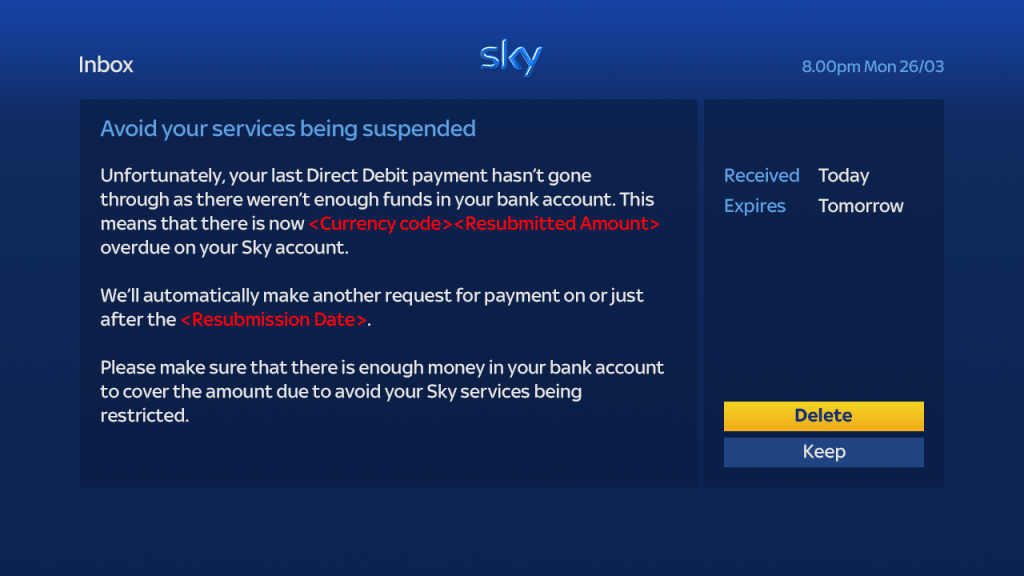
Working on multiple ideas, as well as collaboration with the Sky classic product team and Sky Q product team the final UI was very simple, spacious and easy to navigate. The screens shown below are just a couple of examples of the core screens.
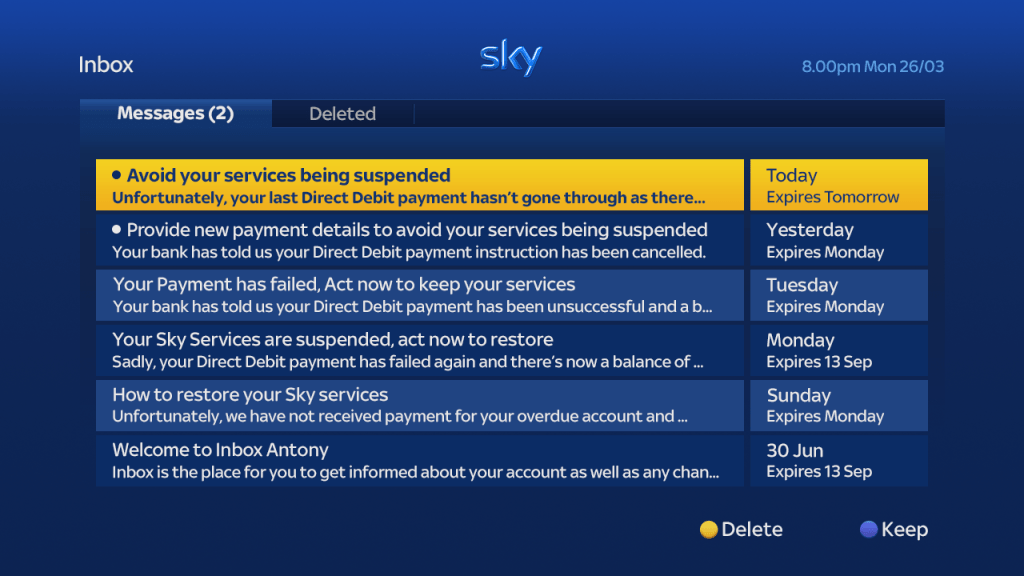
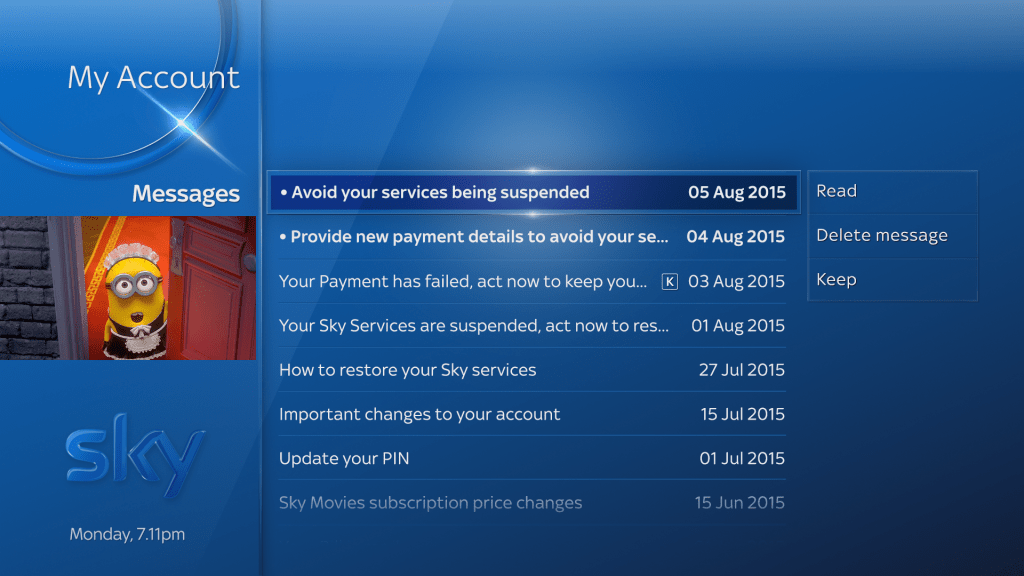
The main screen being the My Messages page, which purpose is to show messages, indicate which ones are unread, which are kept and also the expiry of when the message will be removed. The difference between Classic and Q made the project a challenge to have to design for two different interfaces both with their own pros and cons. Sky Q, for example, had a conditional navigation based on a message, meaning that actions could be exposed before navigating into a message, potentially saving the user time and effort.

Admin Console and CSV uploader
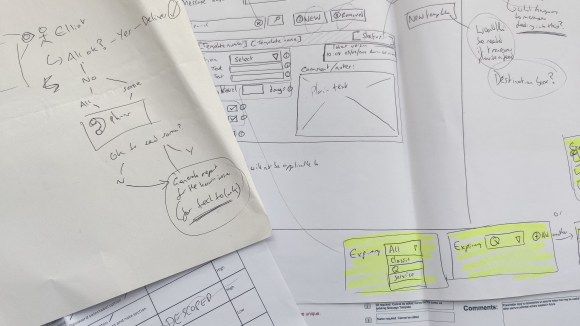
An admin console was required for the configuration of messages for the My Messages solution. The users of this console were near where I worked at Sky so I was able to interview and test with this. I worked closely with the developers on this. There was an existing framework that was a great starting point. I created a ‘rule book’ of the different pages and states as well as the behaviour for the different functionality. This served as a very effective way of capturing what was required and having one source of truth to lead to the final solution.
I took screen shots of the existing UI and then modified them as a way to communicate with the developers. These going alongside the rule book would allow for a singular source of truth for the UI and behaviour.
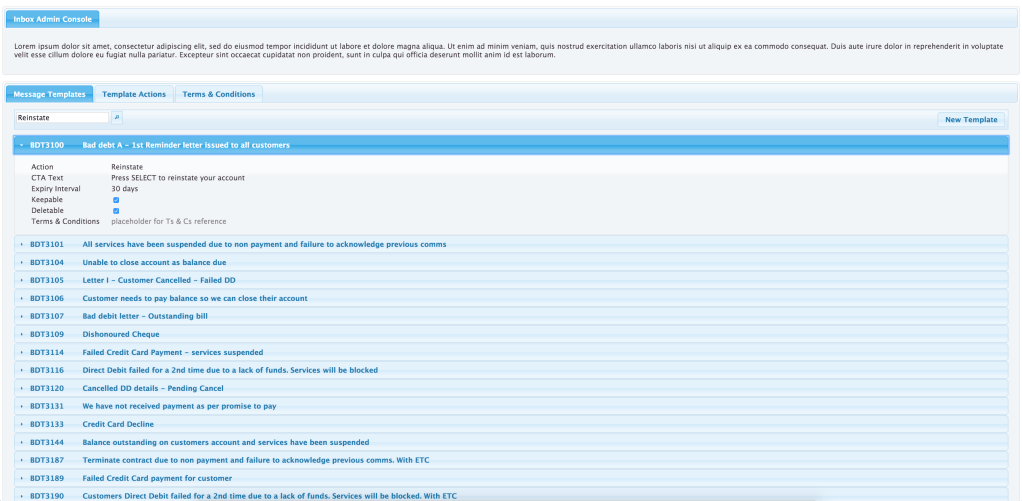
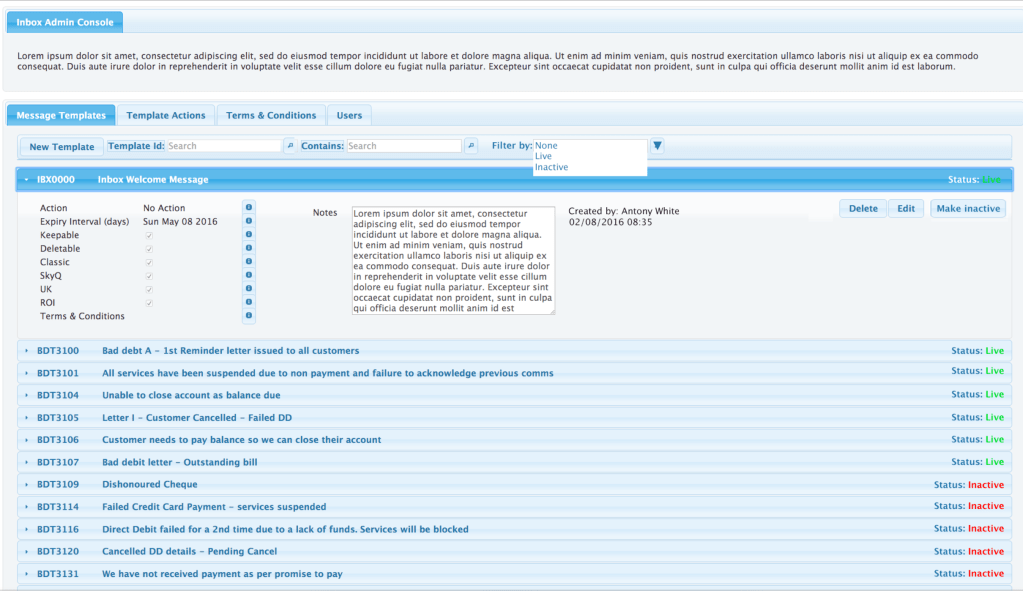
A CSV uploader needed creating as a short term solution for admins to see what was being read and delivered, the data could be pulled to see if there were any errors. As this was manual, an admin UI was required for support to use. I ran a few workshops with the developers and also the product owners who would be the admins to do this task.
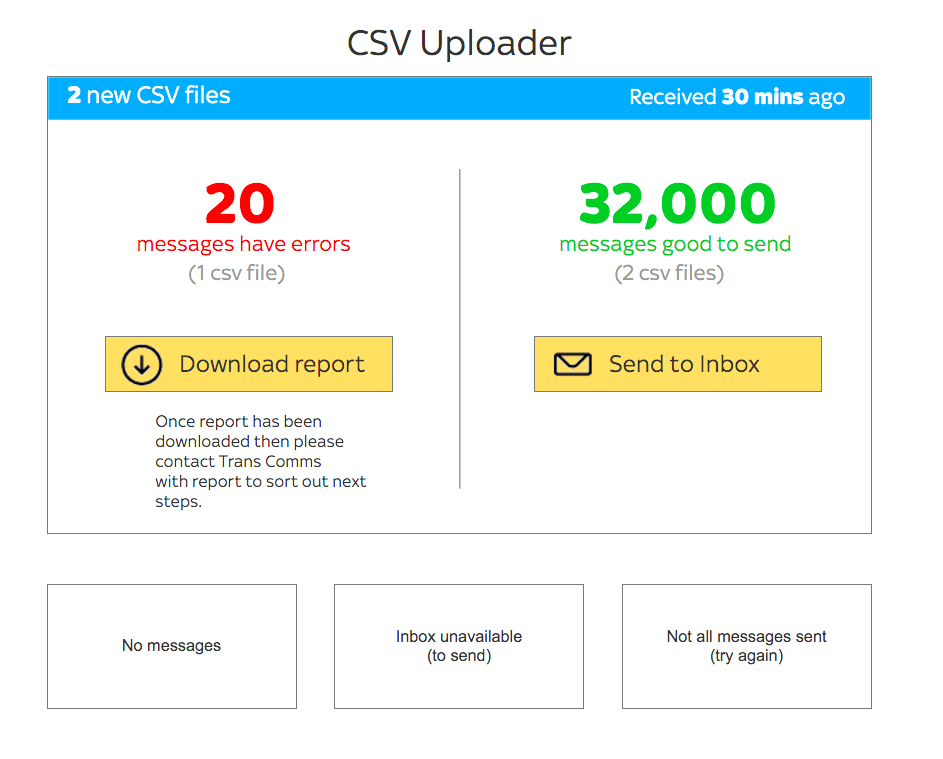
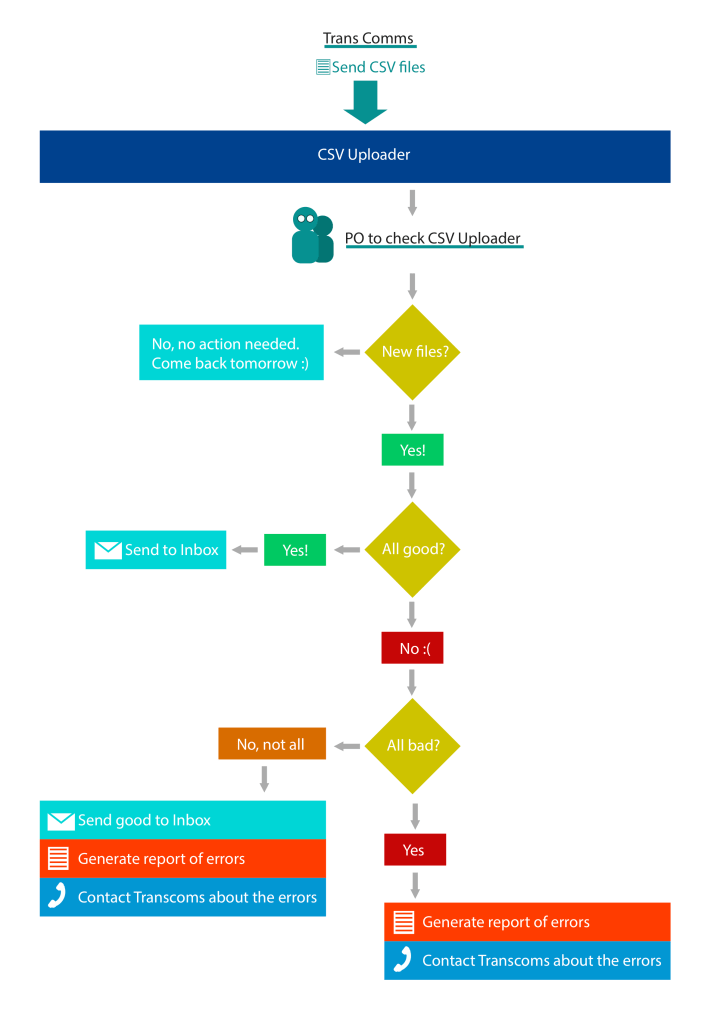
I created a journey flow as a way to clarify and communicate a solution and validate the areas that would then need designing. This was quite a quick piece of work to do, as the UI for this was very basic, and in the end really a big download button if there were any errors.
Lab testing
As part of my role with in the interactive team at Sky, I reached out to the Leeds office to liaise with their research team to begin doing testing with our products. The My Messages was the first project to be tested with the research team in the research lab in Leeds.

Research objectives
The goal of the research was to discover how customers interact with the new ‘My messages’ application allowing Sky to send messages to customers through their set-top box.
The research tested if there are any usability issues when opening and interacting with the messages.
- 12 moderated usability lab sessions were conducted lasting 45 minutes each
- Participants included a mix of age groups & gender split, Sky Q & HD customers.
- Participants were given 5 tasks designed to explore the inbox, enter the messages and action different call to action buttons.
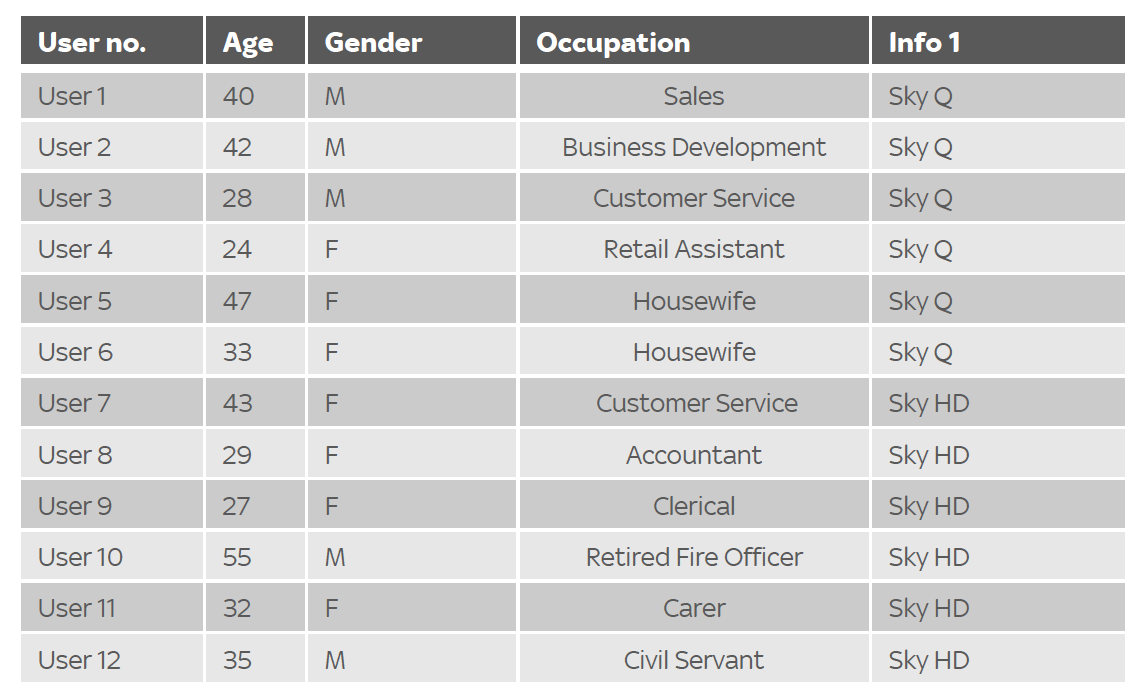
Testing sessions


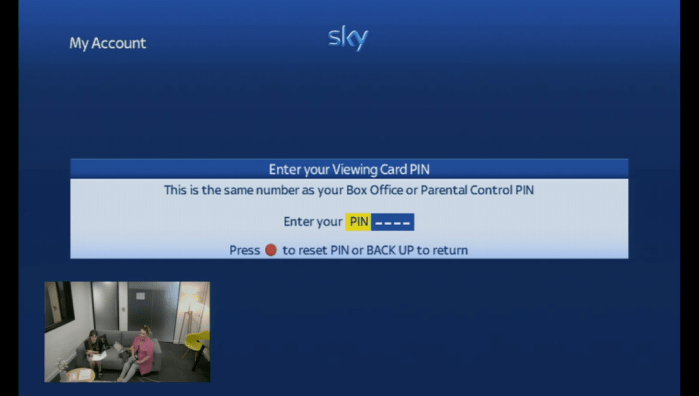
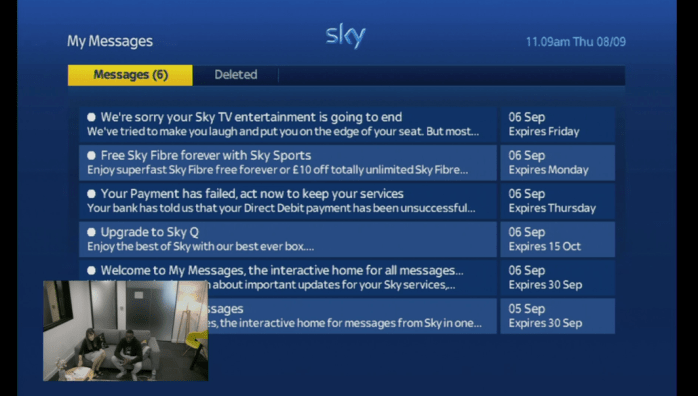
Insights and usage
- Overall customers gave positive feedback regarding the new ‘My messages’ feature after their first interactions. Customers likened the feature to work similarly to their email.
- The majority of participants explained that they would use the ‘My messages’ feature, but only when they were notified that they had a message whilst watching the television. This would not be something that they would actively check on a regular basis.
- The most favoured contact method of communication was via email for general marketing, and letters for important documentation, as this would be less likely to be missed.
- Some customers said that they preferred reading Sky information on their TV as opposed to on their email, as the screen is bigger and all Sky messages would be grouped on one platform.
- Customers expected that these messages would be similar communications to those that they would receive from Sky via email. However, they were weary that this would become another channel for Sky to push sales on customers. They would soon stop using the message functionality if this is the case.
- Generally wouldn’t mind receiving marketing or offers but these would need to be limited, may be ignored and if used in the wrong way could cause users to stop using the messages function.
Other Sky projects
 Antony J White