
Introduction
Assurance was the first and primary project that I worked on at NOW TV. The aim was to create an error for ‘service status’ that communicated to the user issues that they may be facing (primarily) with their broadband, and give the user specific journeys to follow in order to allow them to self serve and help themselves, or the ability to contact NOW TV.
Assurance was part of the service products, which means help and account related for our users. During my time at NOW TV and Sky there was a big strategy to push for a ‘digital first’ experience, meaning for users to be able to self serve via the web, and if that didn’t help then give the user a way to contact NOW TV.
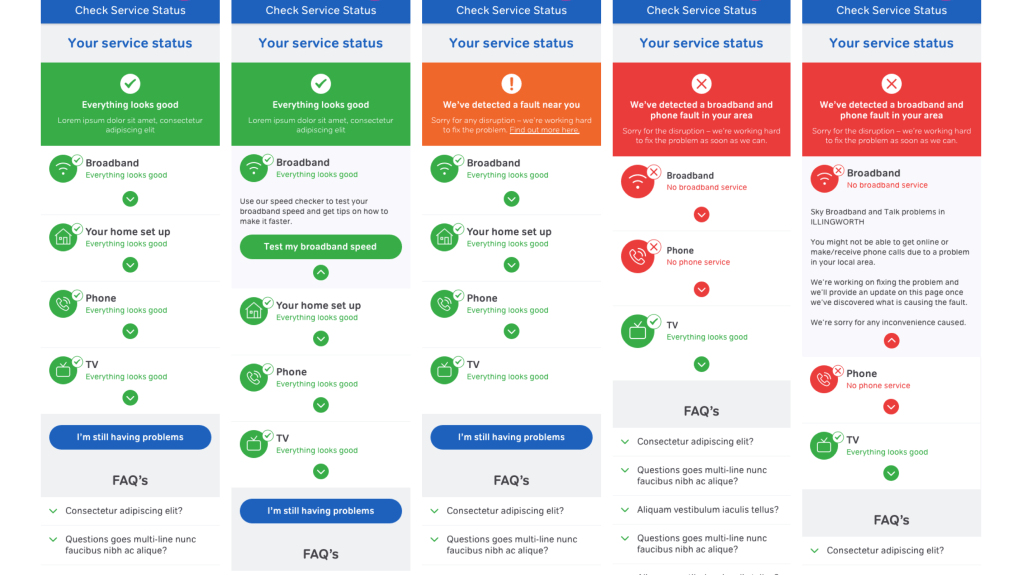
When entering the project there were two main phases, tactical and strategic. Tactical was a very basic way of communicating to the user of three different states, red, amber and green. These in essence were rather basic and would result in the user getting a number to contact if an issue occurred. The strategic phase was to continue this but to have a more sophisticated approach for the user to identify a more specific issue and potentially fix the issue themselves. I began the project by finishing the tactical solution to then more into the strategic route.
Discovery
Problem statement
Technology unfortunately doesn’t always work as it should. When things don’t go so well understanding what the issue is, why it has happened and what can be done are important questions to answer.
NOW TV in 2016 had began to expand their broadband offering which meant that a solution for users to troubleshoot and self serve was required. As NOW TV was part of Sky, the opportunity was to use a lot of Sky’s backend infrastructure.
The main problem to solve was ‘how might we get the users to solve their technical broadband issues, or get them the most relevant help.
Tactical
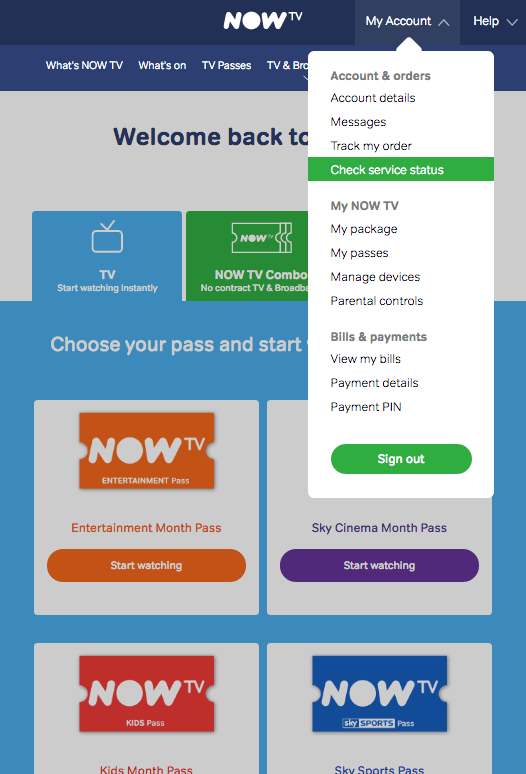
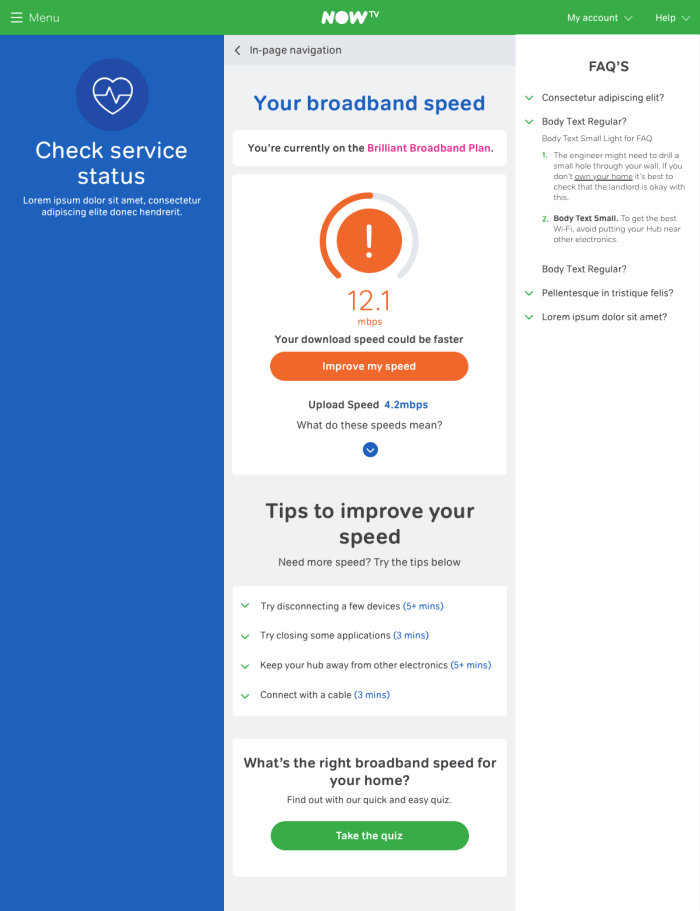
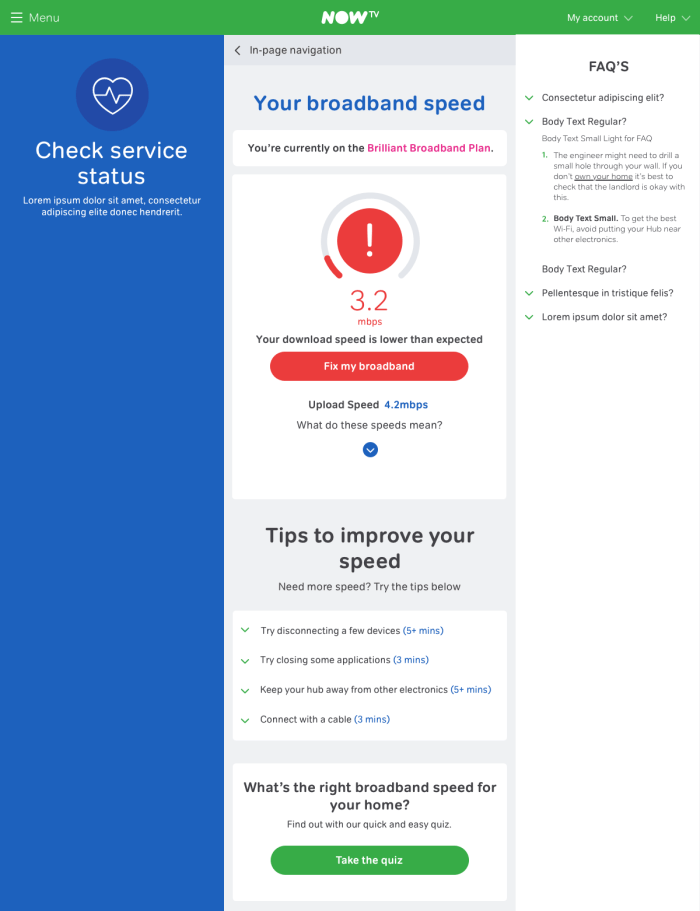
I joined the team as the tactical solution was wrapping up. This project was a way of getting some of the fundamentals built that would support the strategic solution. My role on this was to work with the developers on the implementation as well as working on edge cases and more detailed scenarios.
The implementation for the user was to communicate basic issues, but at that point not to fulfil the self service. The self service part would be tackled within the strategic solution.
Strategic
The strategic solution was based on the hypothesis of allowing users to self serve, would lower call volumes as well as saving the user time by not having to wait for an engineer to come out, if it was required to otherwise.
- A single Assurance platform for Sky.com, NOWTV and Sky mobile.
- A much simpler and unified journey for customers and advisors
- Used for 80% of common diagnostic journeys
- Enables customer to self serve online
- Business can centrally manage business rules
- Consistent journeys and tools for customer and advisor
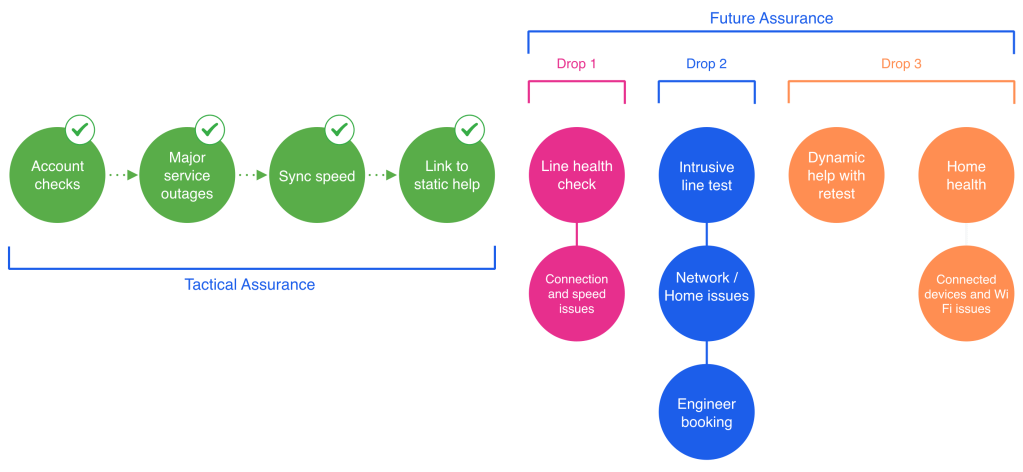
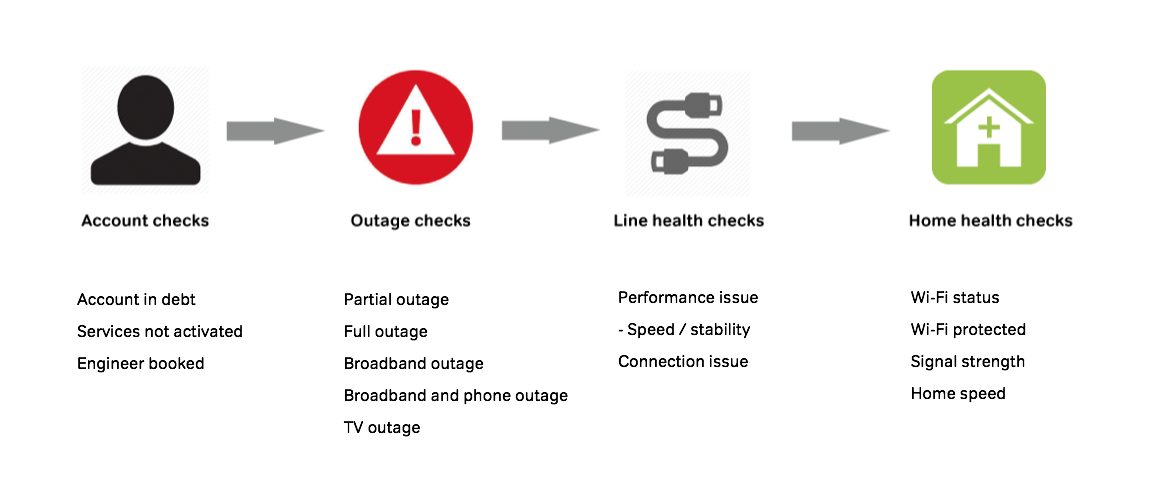
The strategic solution would be based around 4 different checks:
- Account checks: These are used to understand the status of the services the customer is subscribed to for example, if a user was in debt or had cancelled an account then their services would be suspended, resolving this would be the first area to address.
- Outage checks: Once a users account status is confirmed all good, a view on the outage that could affect the user would be checked. Depending on the severity of the outage would mean different solutions could be required. In these cases, a user would not be able to do anything to improve their service and would require the information to understand when the problem would be solved
- Line health checks: These checks would be around coming into the users home. These from a self service perspective could mean the user could gain internet access via a ‘test socket’ in the meantime while they wait for an engineer.
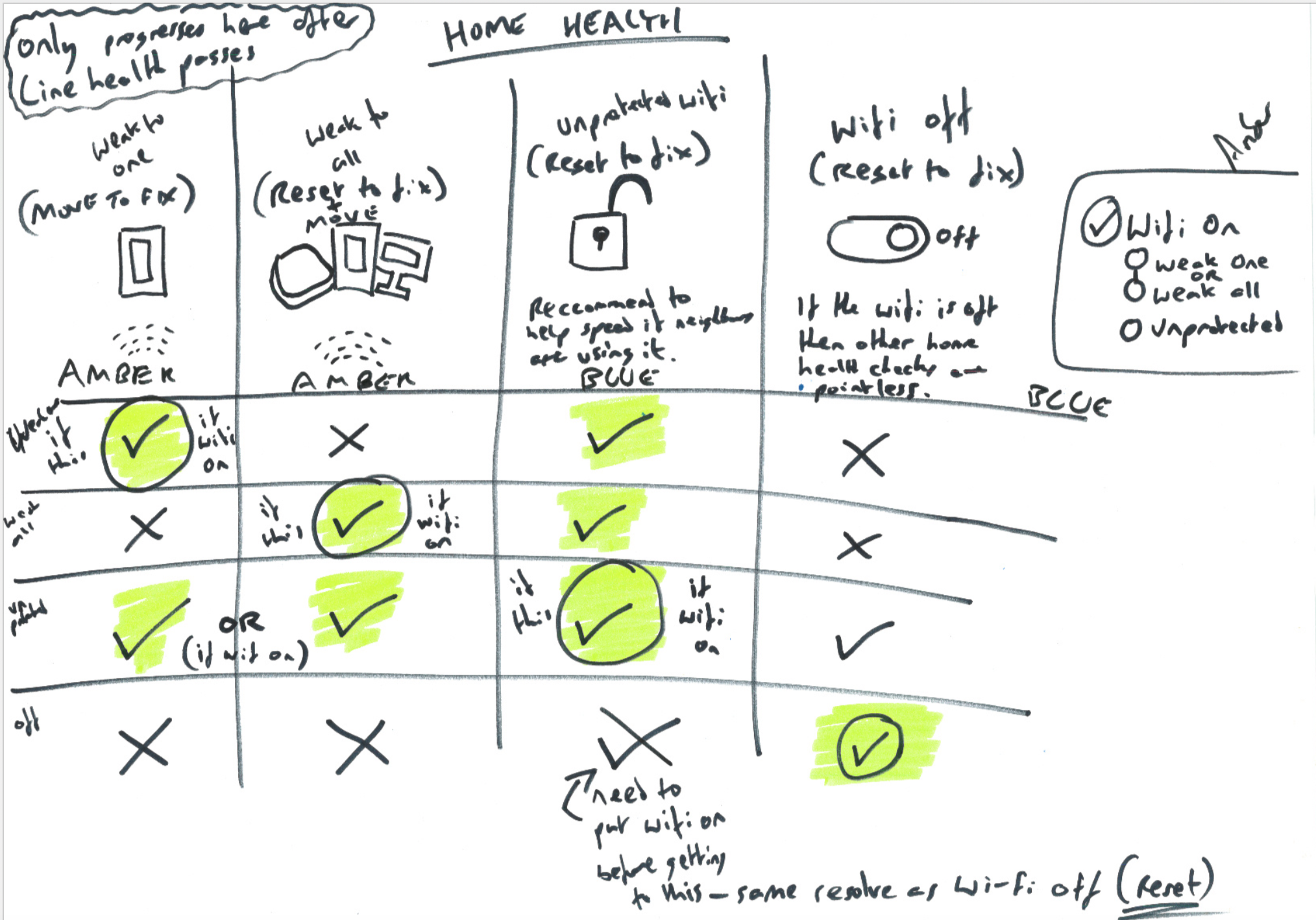
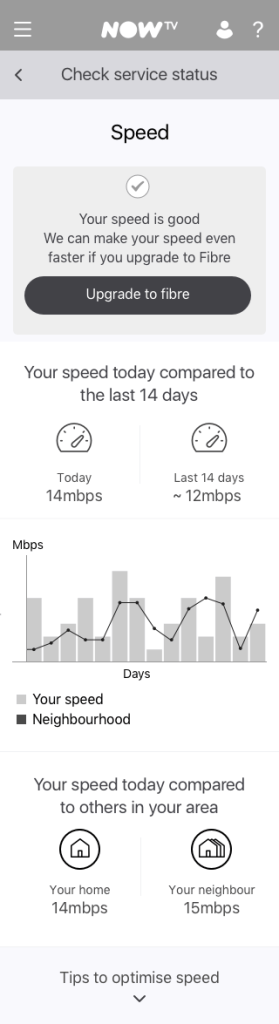
- Home health checks: These would be where user could optimise their home setup. When it comes to wi-fi there are many things a user can do in order to get a better signal, these checks will help guide on a device level what they may need to do.
Working with Sky
As a major part of the project Sky were leading the technical architecture side. This meant having to align with them often but also have a freedom on the front end to make something that worked more in line with the NOW TV product.
Because of the technical solution and the vast amount of back end systems, there was a lot of limitations at times that made discussions difficult to work for the NOW TV product. The best thing to do was to soak up as much information to understand the details of how this would work, and then look at creative ways to leverage these into something that would work best.
Define
Vision and design principles
Simplicity of approach
Root cause identified through a maximum of 4 steps
Customer friendly journeys
Clear next best action Easy step-by-step guides
Channel agnostic
Offers the right journeys on the right support channels
Approach
- Continuous discovery, research and validation
- Numerous workshop sessions with stakeholders
- Customer-centric approach
Empathy mapping
The activity of empathy mapping was useful for the different situations a user may face when trying to solve their broadband issues. Empathy mapping worked as a great tool to specify around those scenarios. This activity lead to one of my biggest learnings about getting a user to a solution as soon as possible, rather than wasting their time with tasks that won’t resolve their issues.

Customer experience mapping
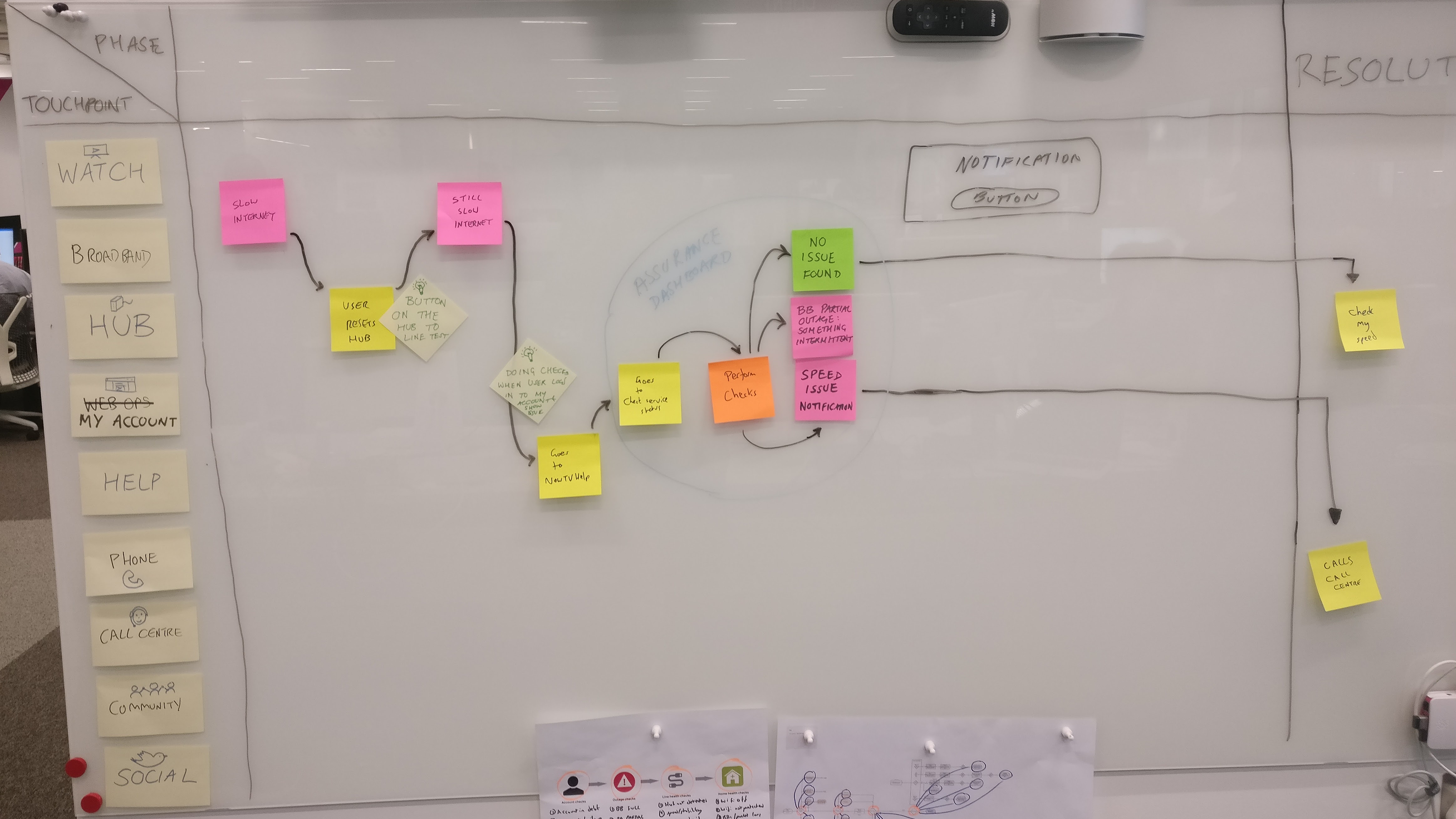
An important exercise was to not just focus on the interface, but step back at look at a users end to end experience with the varying touch points. We had multiple sessions with UX, UI, PO and developers in order to see the journey from a users perspective. These were based on previous research of feedback from users to how they would tackle certain problems.
With broadband issues, there are a varying degree of different touch points, from the router to the using the NOW TV help site. Each touchpoint used provided more context for our solution to look at where a user would be coming from, and how rather than begin a journey, we could help continue theirs.
Body storming
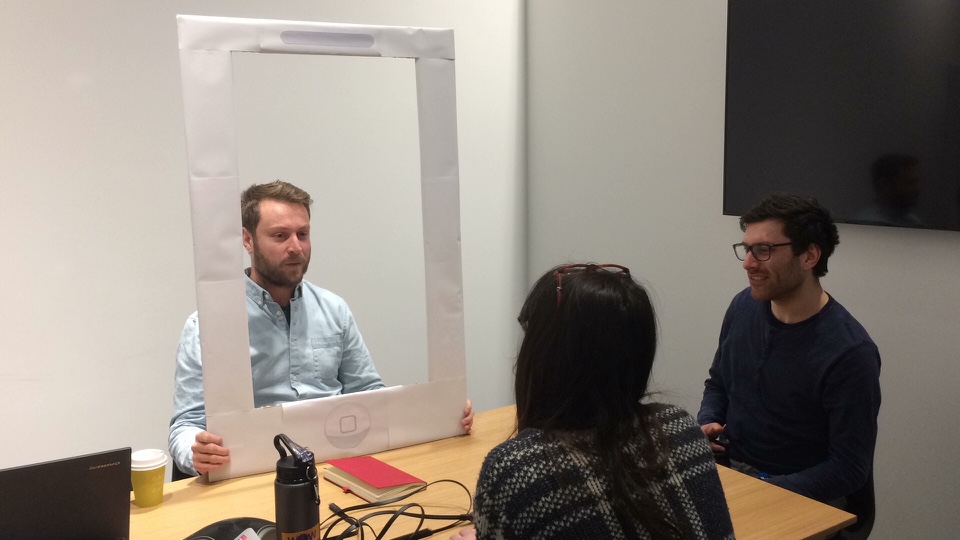
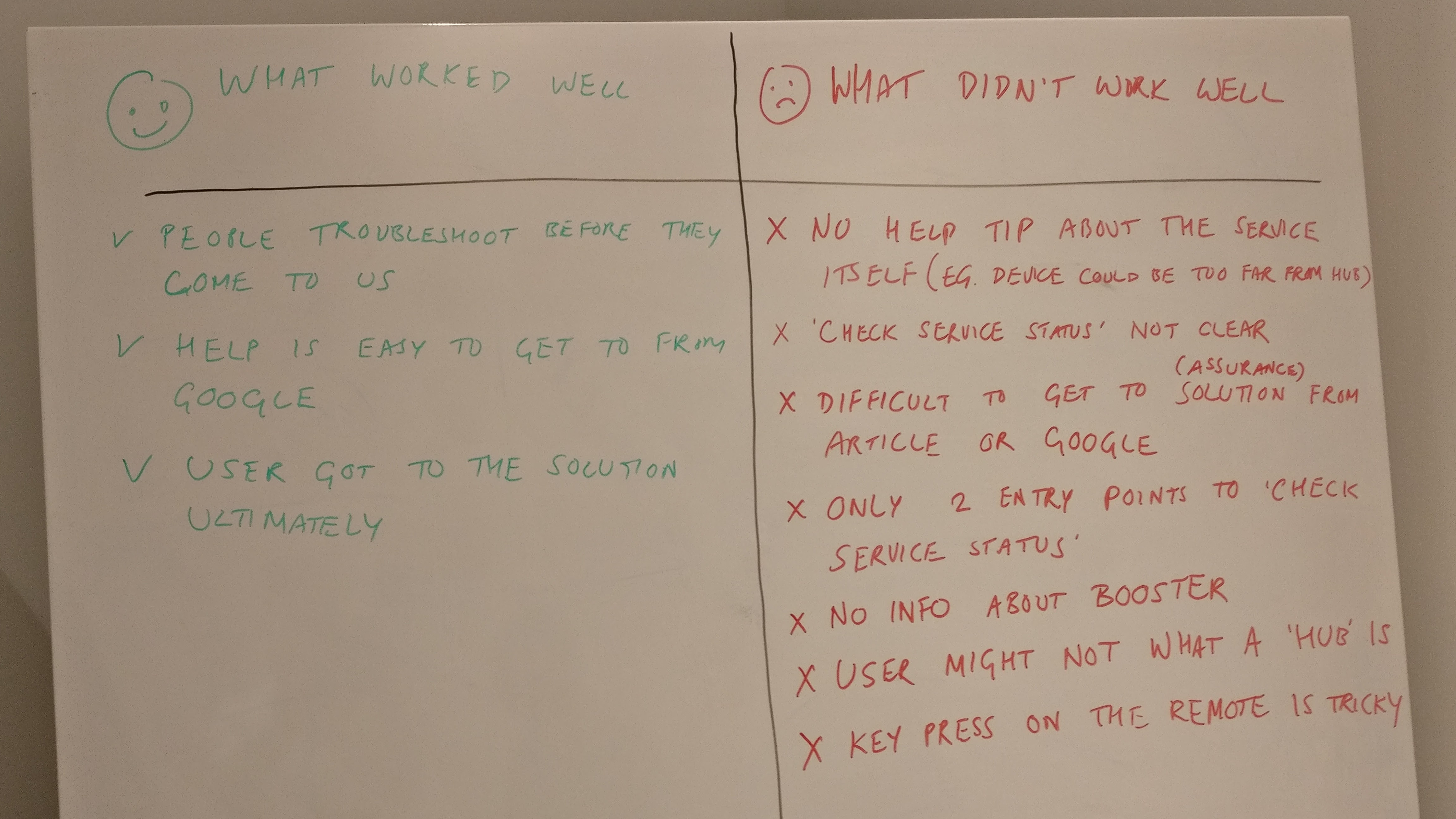
One activity I tried out was ‘body storming’. I ran a workshop with the team where we played different roles in the users journey. The roles were being the Self Service interface, Google, a NOW TV hub (broadband router) and a user. The idea was to treat the interactions like a conversation in order to discover the way in which someone would tackle an issue and get the core of the user need.
User journeys
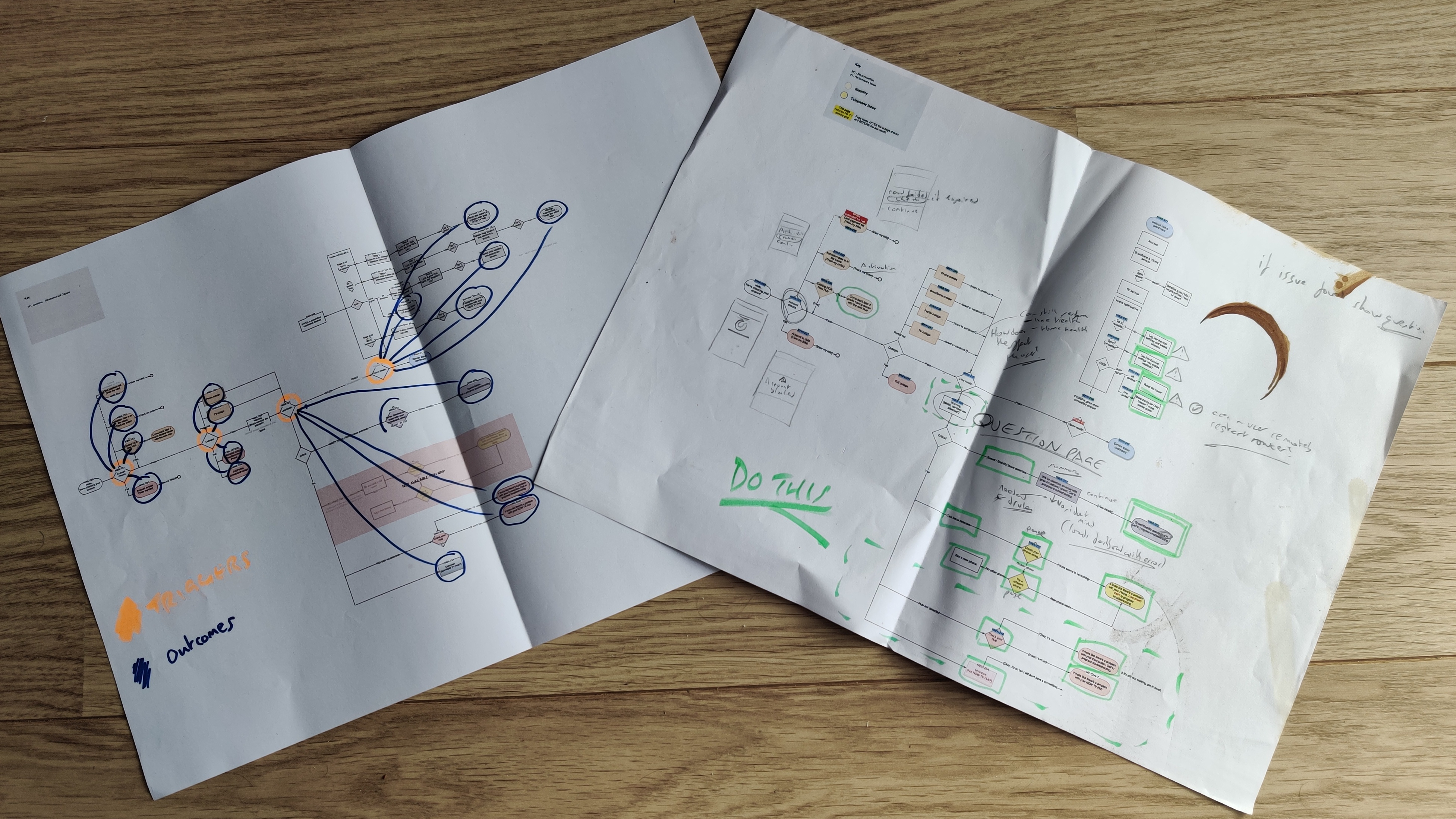
From the beginning of the project there were multiple documentations of the different systems in place and the capabilities available. On coming in on this project there was a very detailed high level mapping, however this was not specifically user facing. Working on looking at the triggers and outcomes I simplified the mapping into the different areas. Working closely with my product owner the sections we broke down mapped with the initial vision.
Mapping the journeys into the chunks that related to the different delivery points helped me to plan out the vision then understand how the small chunks can be fleshed out into the more detailed journeys.
Develop
Workshop
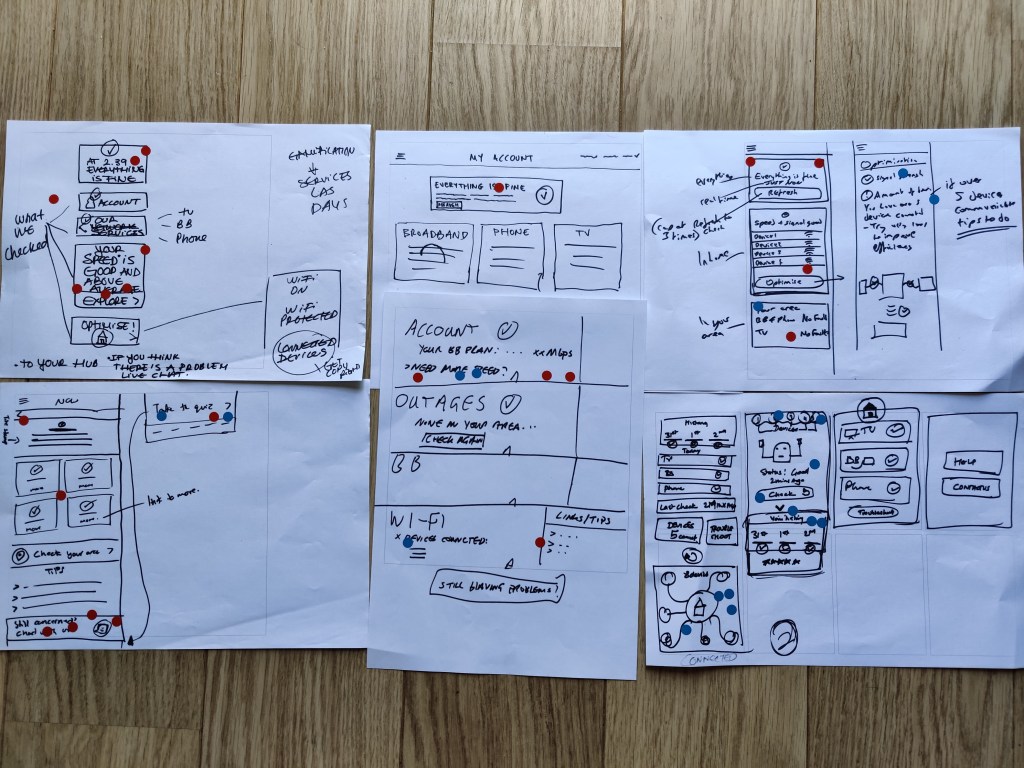
I conducted a workshop with the design team including UX and UI designers. This was a way to get my peers input and help align with them the challenges that I was facing with the project. I workshopped a crazy 8 workshop to start with, and then had regular workshops on specific issues to work in some ways as a ‘hive mind’ to cover everything from a design perspective before taking that to validate with the assurance team and most importantly users.
High level
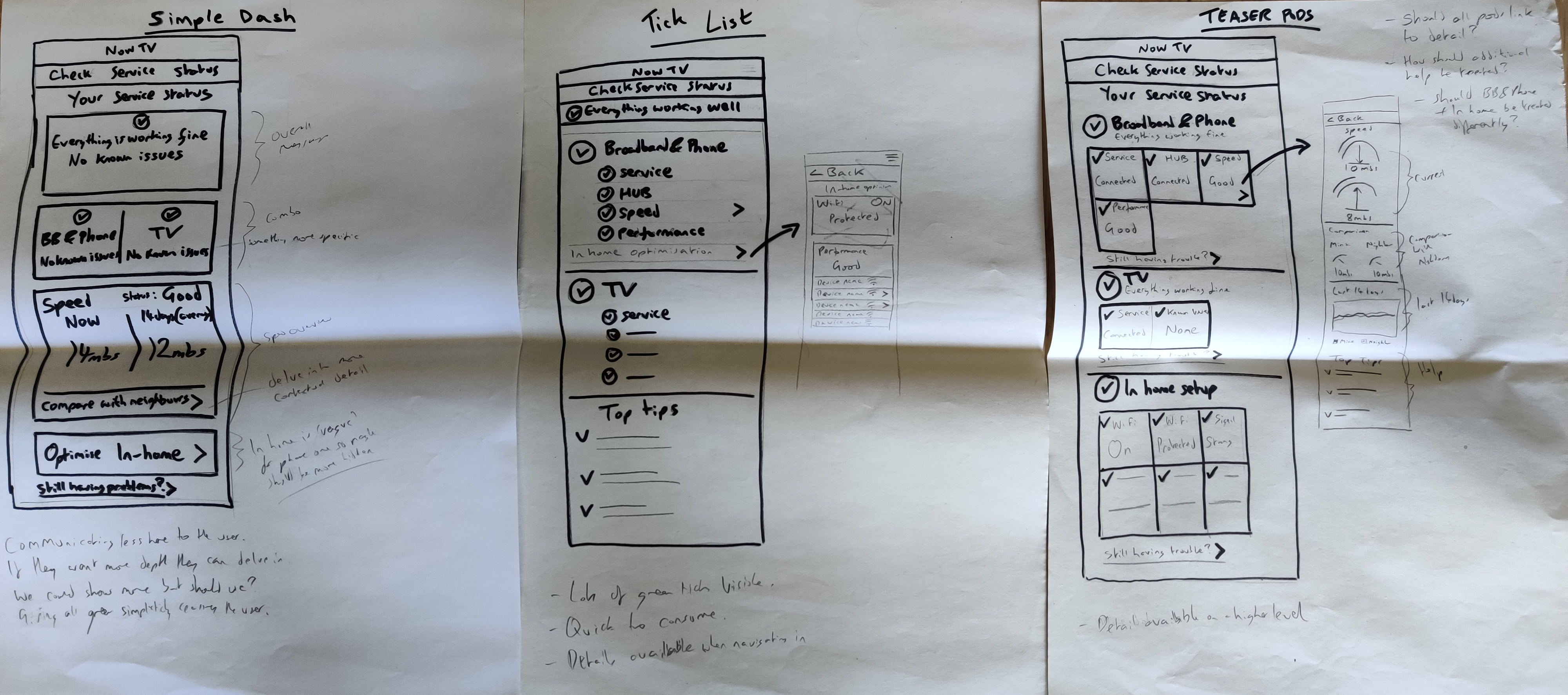
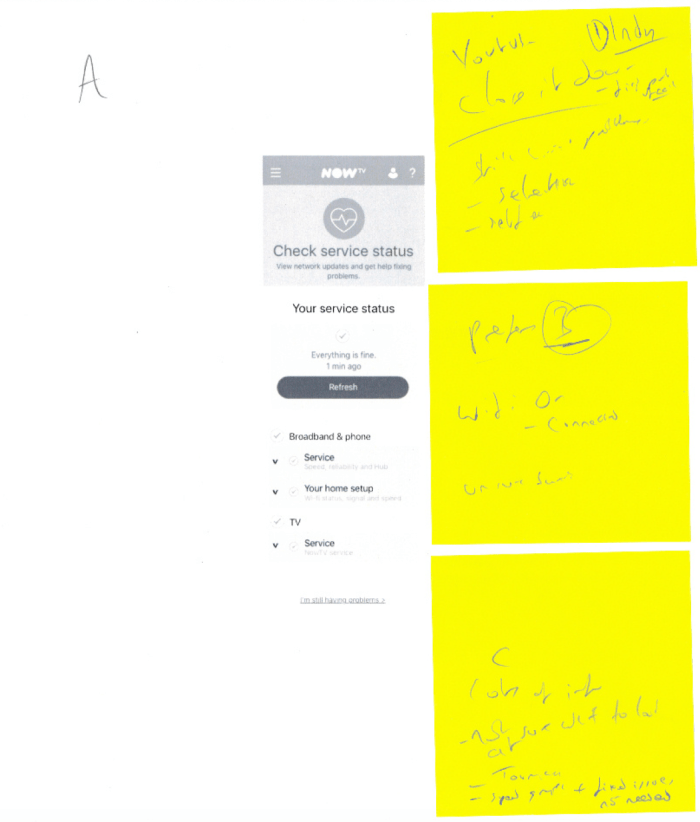
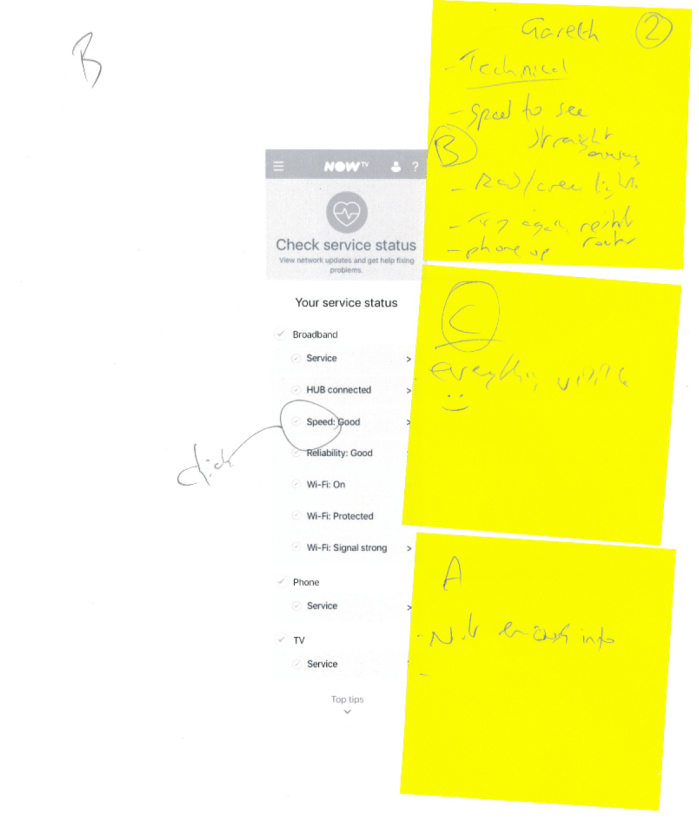
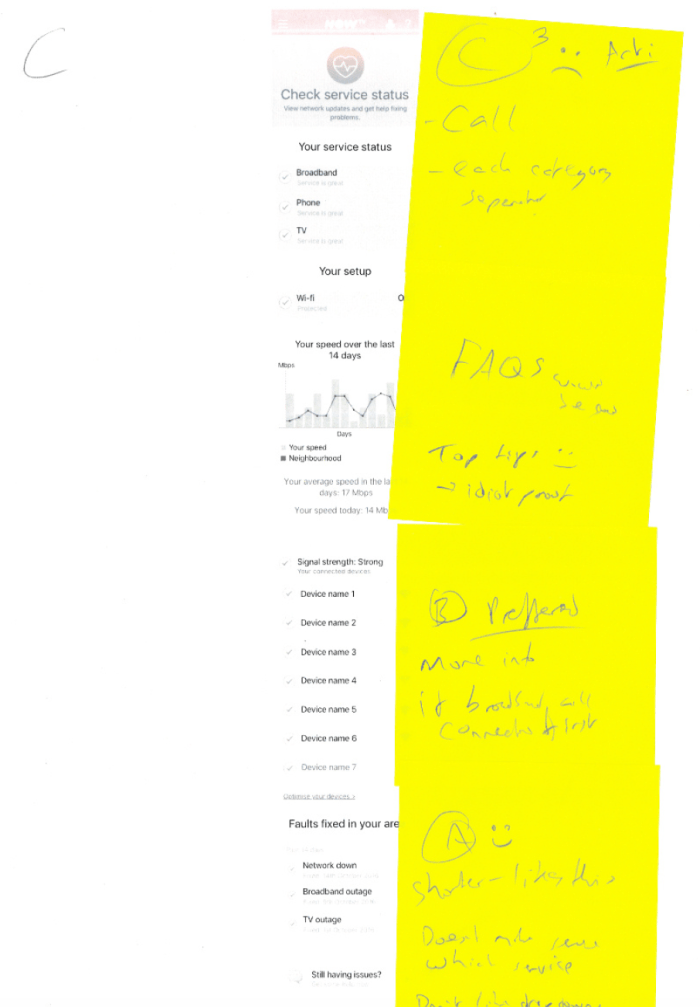
Three high level concepts were created from the workshops and research. They were:
A. Simple Dashboard
High level, clean, keeping the details hidden and going with a progressive disclosure approach
B. Tick list
Giving the user the power to tackle the potential issue and see a medium amount of information
C. Teaser pods
Give the user all the information and detail. To empower and feel confident with the amount of checks are happening, to feel truly in control of their internet experience.
These high levels had their own pros and cons, but was a way to begin testing with users to put verbatim and validation to the concepts.
Guerrilla testing
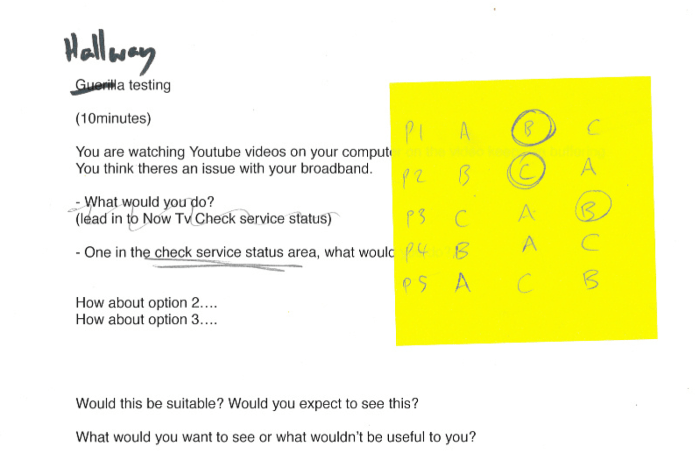
NOW TV is based on the Sky campus which has around 10,000 people on site. This was a great opportunity to conduct guerrilla testing. I value guerrilla testing as a way to get a mockup or prototype in front of a fresh pair of eyes. The first time I conducted this kind of research I shadowed one of our researchers in order to make sure I would conduct it properly in future.After doing multiple rounds of guerrilla testing I learnt about who I should be asking. There are employees as Sky who work away from the product such as security guards, cleaners and people working in restaurants and cafes. These were more inline with our user types.
I would either do an ABC test, mixing up the order while testing with different users, or have a very specific solution to a problem to test. These proved really effective to get feedback to ‘temperature check’ ideas, which meant I would then be more prepared when taking to testing with real users.
Details
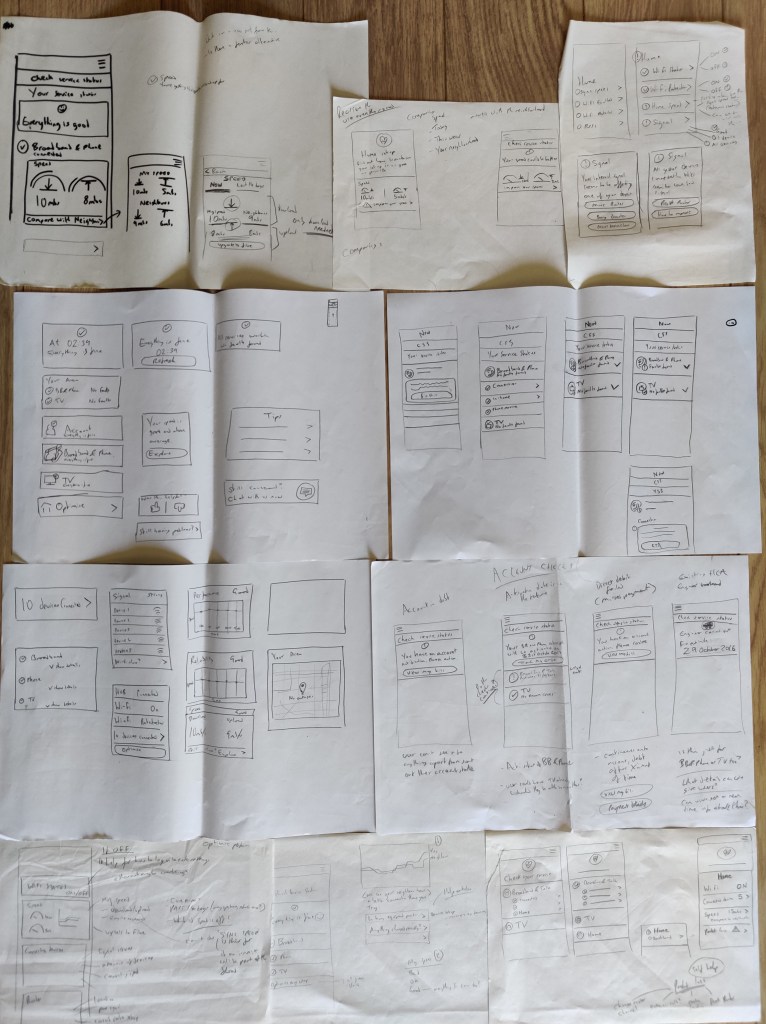
After guerrilla testing and also having a huge amount of research undertaken is was time to begin to sketch out the details. This would be to begin to use the feedback and research in order to start to make some decisions of what a user was looking for.
As mentioned before, assurance (service status) was about getting the user to solve a problem as possible, or give them confidence and reassurance that their service was working, and if they felt not, then the ability to raise an issue. These were the core parts of what would make the project a success if adhered to.
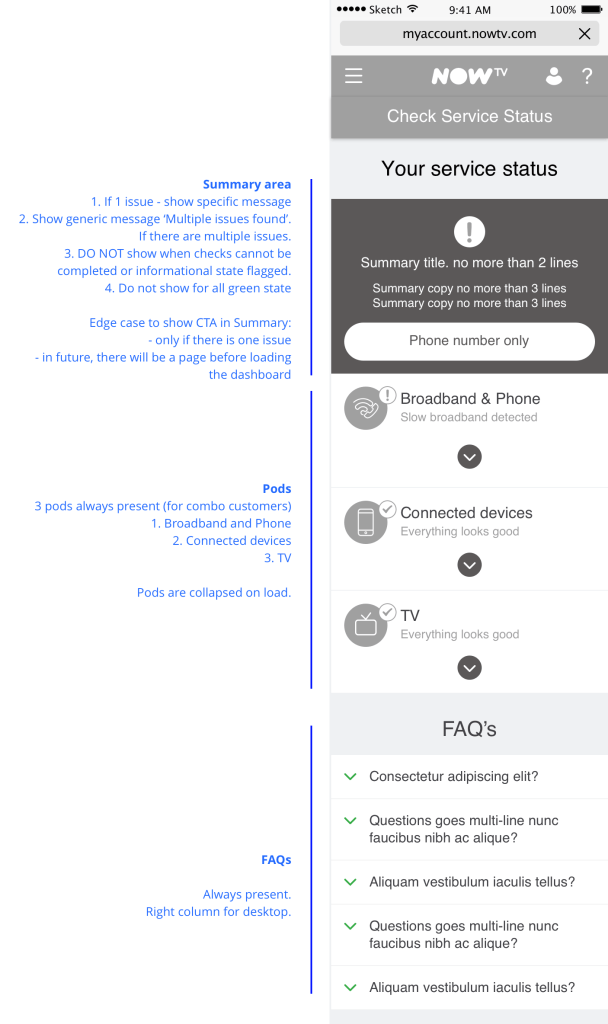

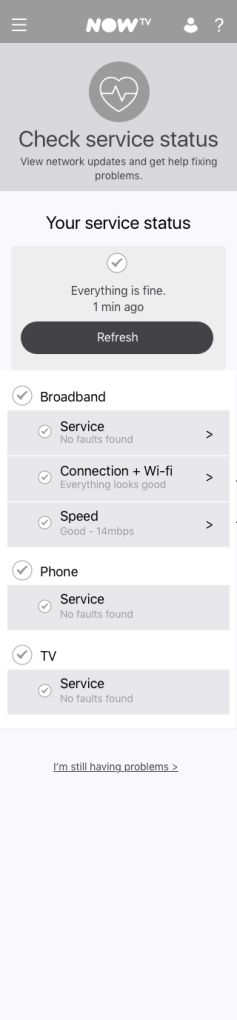
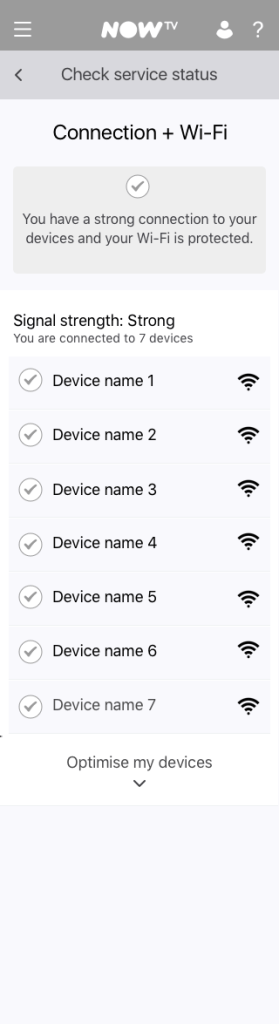
Working with developers
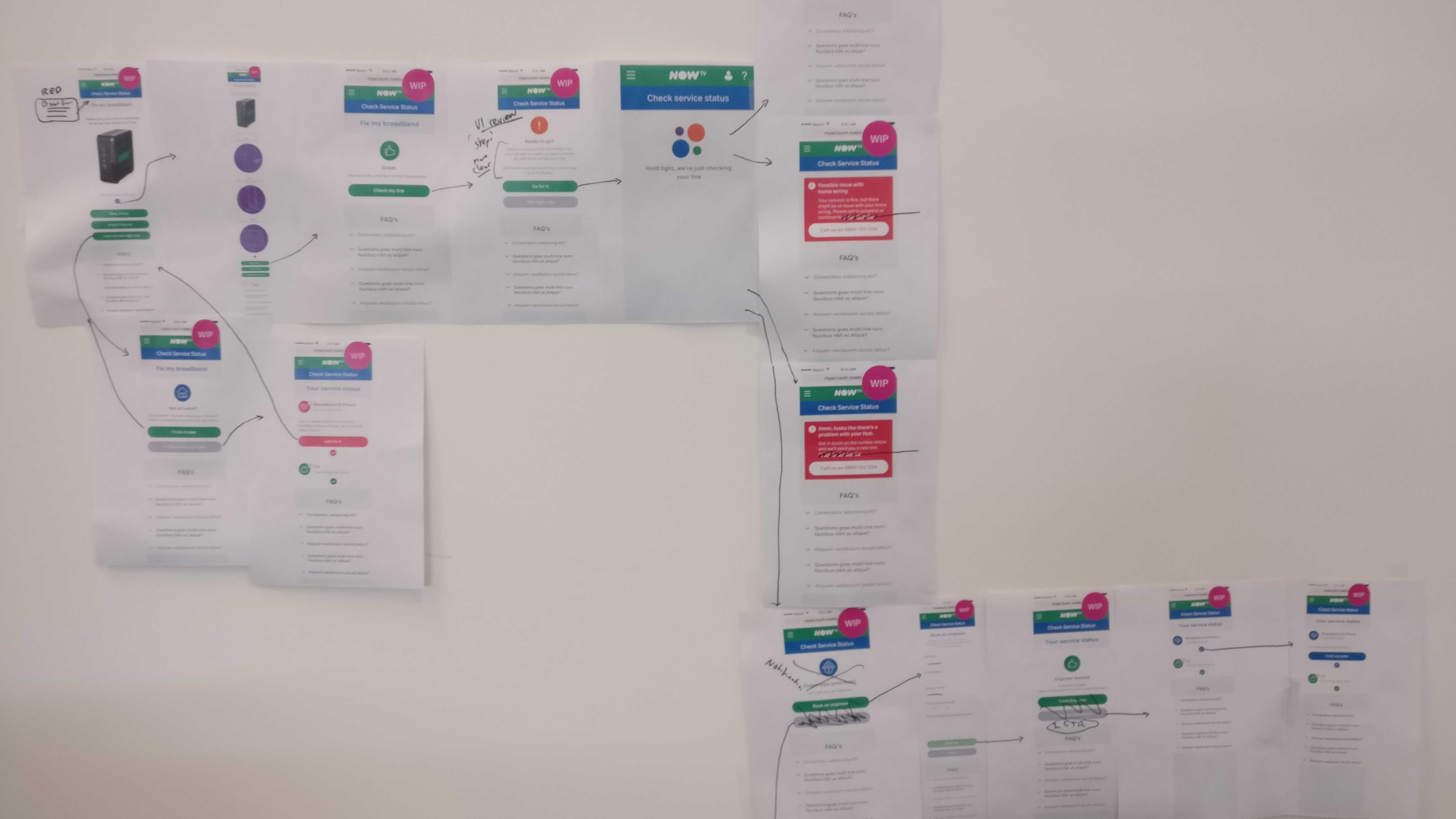
One of the main learnings I got from working on this project was printing journeys out and sticking them a wall to walk through with the developers was very beneficial. Allowing everyone to draw and put post-it notes on made walkthroughs and feedback sessions very effective. There were strict deadlines but clarity of releases, so at the later stage of assembling the journeys, having them in front of everyone helped with a shared vision and technical feasibility when stitching together.
Lab testing
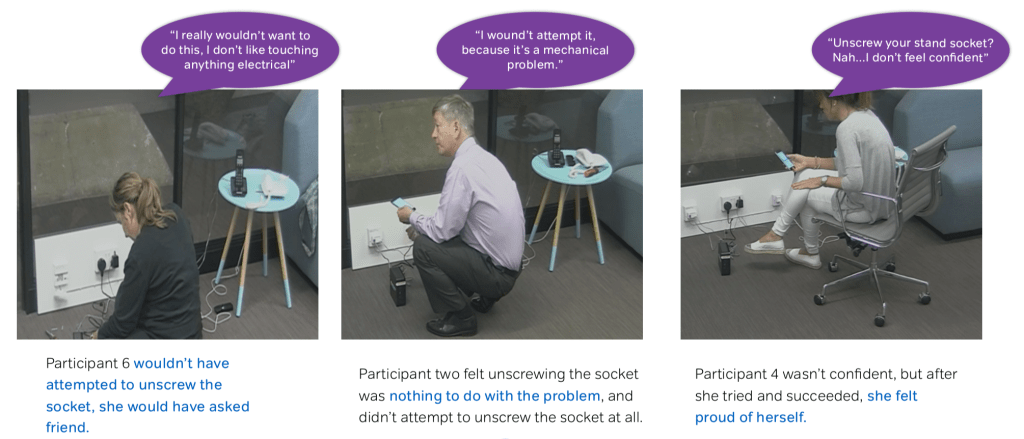
Multiple rounds of lab testing were conducted by the research team. These would vary in different parts of the journeys. The most elaborate was getting a user to not just self serve their software issues, but to physically open up a phone socket in order to find the test socket. The test socket is used for diagnosing is the phone line is the issue or the socket itself. The benefit to the user is that they can potentially use their internet in the short term via the test socket while they wait for an engineer to come and visit.
When interviewing users during testing, something that constantly came back was that when it came to broadband issues, they would generally try switching the broadband router off then on again. It’s a cliche in itself, but this would be paramount to the journeys that they would be sent on, as one of the steps within the journeys was around switch the router off and on again. Knowing that the majority of the times users would do this, we knew that we would not need to pander and have this step within the flow.
Deliver
Solution
If a user had to contact NOW TV, a bespoke contact number would be given in order for them to be able to speak to a support agent continuing from where they had got to, rather than having to repeat the steps they had already been through, as through user testing and research showed us that a pain point is have to repeat everything that had previously been done which is very frustrating.
MVP – Drop 1 – Account check
1. Broadband & Phone activation
Given the customer’s Broadband & Calls plan is yet to become active, then we won’t allow them to progress to Line health check.
Options are ‘Track my order’ OR ‘View TV service status’
2. Account in debt
Given the customer has a debt flag in their account, then we won’t allow them to progress to Line health check
Options are ‘View overdue bill’ OR ‘Make your payment’
3. Open order (engineer, new Hub)
Given the customer is waiting for an engineer visit, a Hub replacement OR other open order, then we notify them and let them continue to Line health check ‘Continue checks’ OR ‘Track my order’
4. Service outages
Given the customer’s local exchange has a Broadband or Phone outage, then we notify the customer. Given there’s an identified issue with the TV service, then we notify the customer and let them ‘Go to Community’ for updates.
MVP – Drop 1 – Line health check
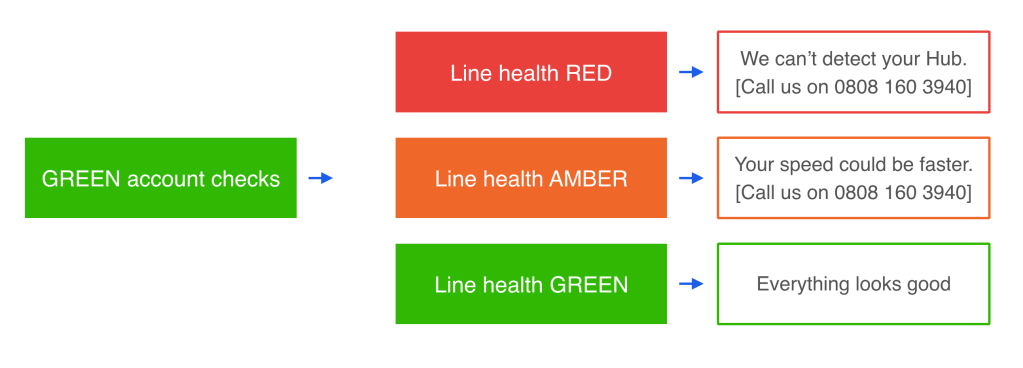
Line health RED
Given the line health check returned RED, then we ask customers to contact us to progress troubleshooting over the phone
Line health AMBER
Given the line health check returned AMBER (speed/stability issue), then we ask customers to contact us to progress troubleshooting over the phone OR run a speed test.
Line health GREEN
Given the line health check returned GREEN (no issues detected), then we allow customers to run a speed test.
Drop 2 – Line health check
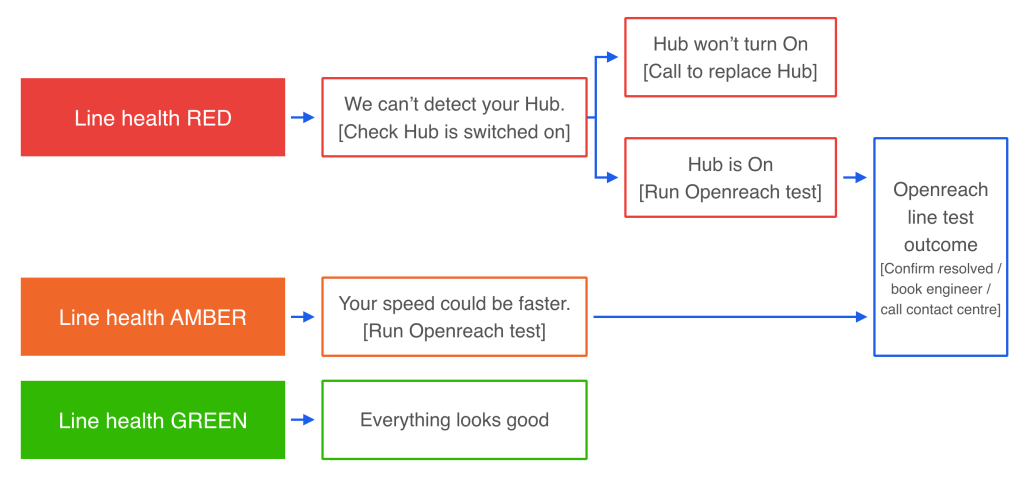
Splintering off certain parts of the journey, the user would then be given more specific help depending on their issue. These would be to trigger further tests, or identify if a users internet router was broken, and give them a journey in order to order a replacement.
Drop 3 – physical fixes and home health

Continuing journeys for the user to be able to fix an issue at home. Saving them time by potentially being able to physically resolve an issue instead of an engineer coming. Also the final step for users to get advice on their at home setup to optimise their home in order to have better internet service within their home.
Measuring success
Call deflection
- Service outages
- Network issue (booking engineer, ordering new Hub)
Goal achievement
- Fixing service issues
- Improving broadband speed
- Booking engineer
- Checking connected devices
Digital leakage
- Clear and simple journeys all the way up to resolution
The main learning
Just because you have lots of data and things to show a user, does not mean they are useful. The most valuable lesson on this project was looking at what information a user needs at a certain time, or at all. Additionally, it was about making sure that they get the correct help asap, so rather send them down a rabbit hole, actually pull the plug and give them a contact number as early as possible.
Other NOW TV projects
 Antony J White